Connect Stripe to get paid
1:03 video · For owners
Why it matters
Deposits, card payments, coupons and memberships all run through Stripe. Your clients pay you directly, into your own Stripe account.
Step by step
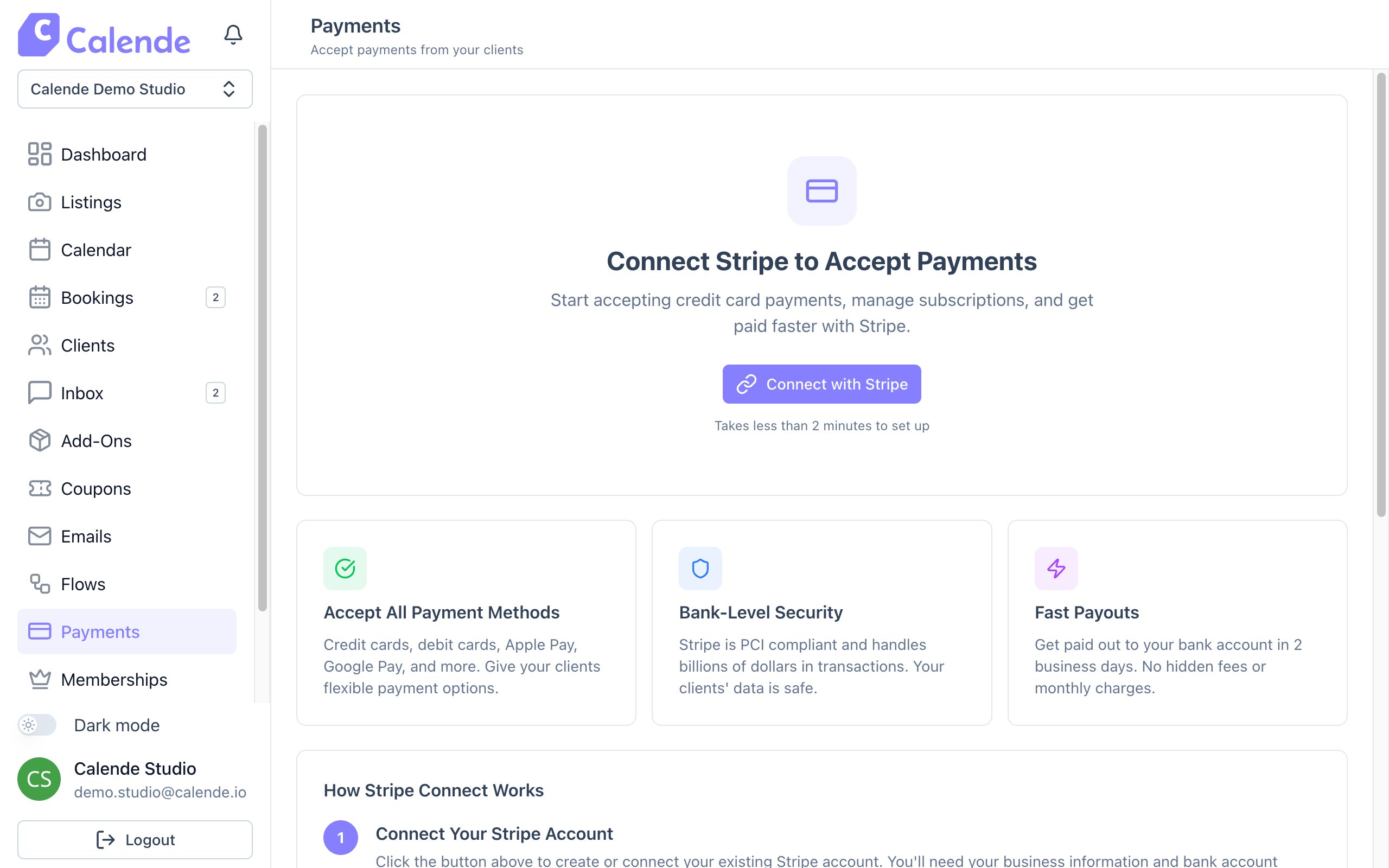
- In the sidebar, click Payments.
- Click Connect with Stripe.
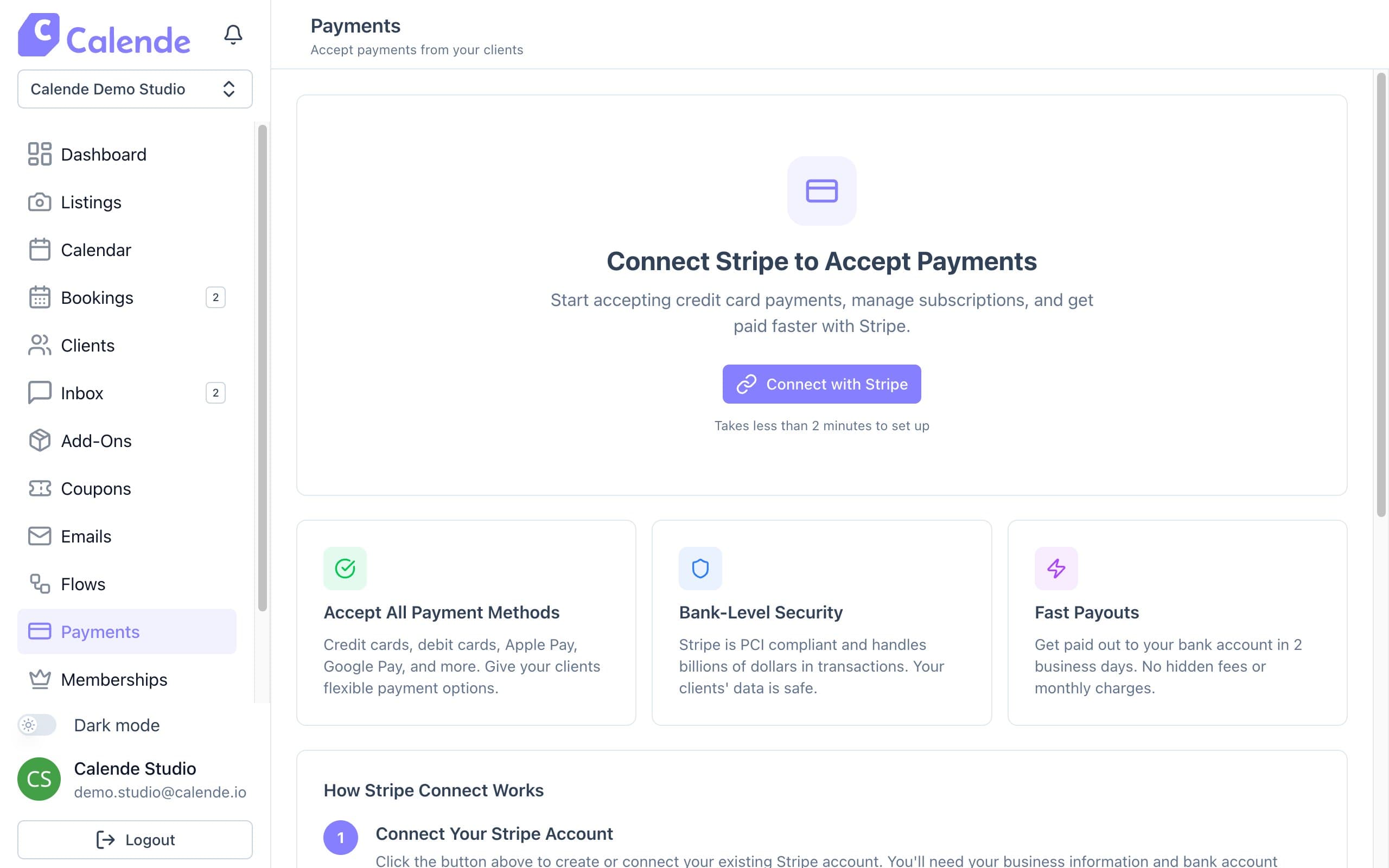
Until Stripe is connected, Payments shows the Connect with Stripe screen. - Sign in to Stripe or create an account, then add your business details and the bank account for payouts.
- Back in Calende, you'll see Stripe connected.
- If a banner lists actions, click each one or Open Stripe Dashboard to finish them.
Good to know
- Online card payments carry a 3.5% + 30¢ platform fee. There are no setup fees.
- Paid booking options, coupons and memberships unlock once Stripe is connected.