Online class booking for independent yoga studios
Publish your weekly timetable, let students reserve a spot and pay when they book, and rent your room out between classes. One plan, $29 a month, with unlimited bookings.
Vinyasa Flow
60 min · $22 per person
- 7:00 AM3 seats left
- 12:15 PM9 seats left
- 6:30 PMFull
Teach the class. Let the booking run itself.
More students than mats
Each class has a set number of spots. Students see how many are left, and a full session can't be booked.
Collecting drop-in fees at the door
Students pay when they book, through your own Stripe account. Taking cash instead? Record it against the booking.
Late cancellations that cost you
Set your own cancellation windows. Refunds shrink as class gets closer, and can go to account credit instead of back to the card.
Your timetable, online and paid for
A spot in every class, booked and paid online
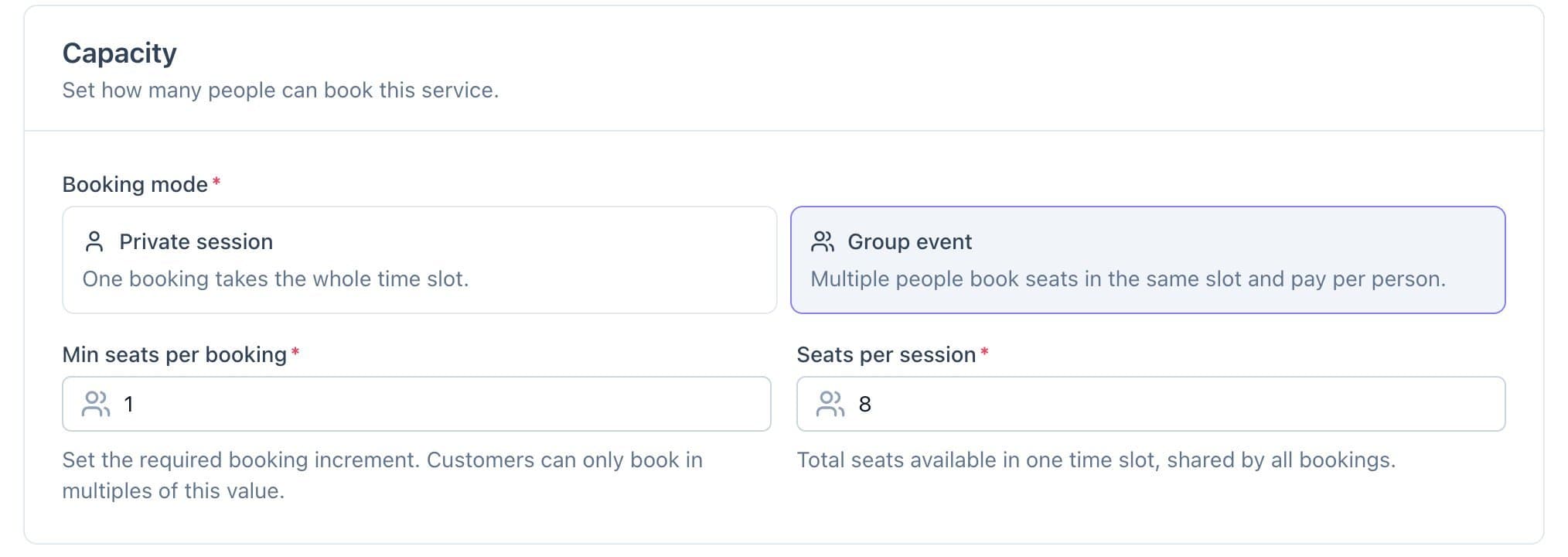
Set up each class once with its length, price per person and number of spots. Students pick a day and a time, see the seats left, and can book extra seats to bring a friend. Private sessions take the whole slot for one booking instead.
- Spots per class, with seats left shown
- Price per person, paid at booking
- Private sessions with a flat price
Set your weekly timetable once
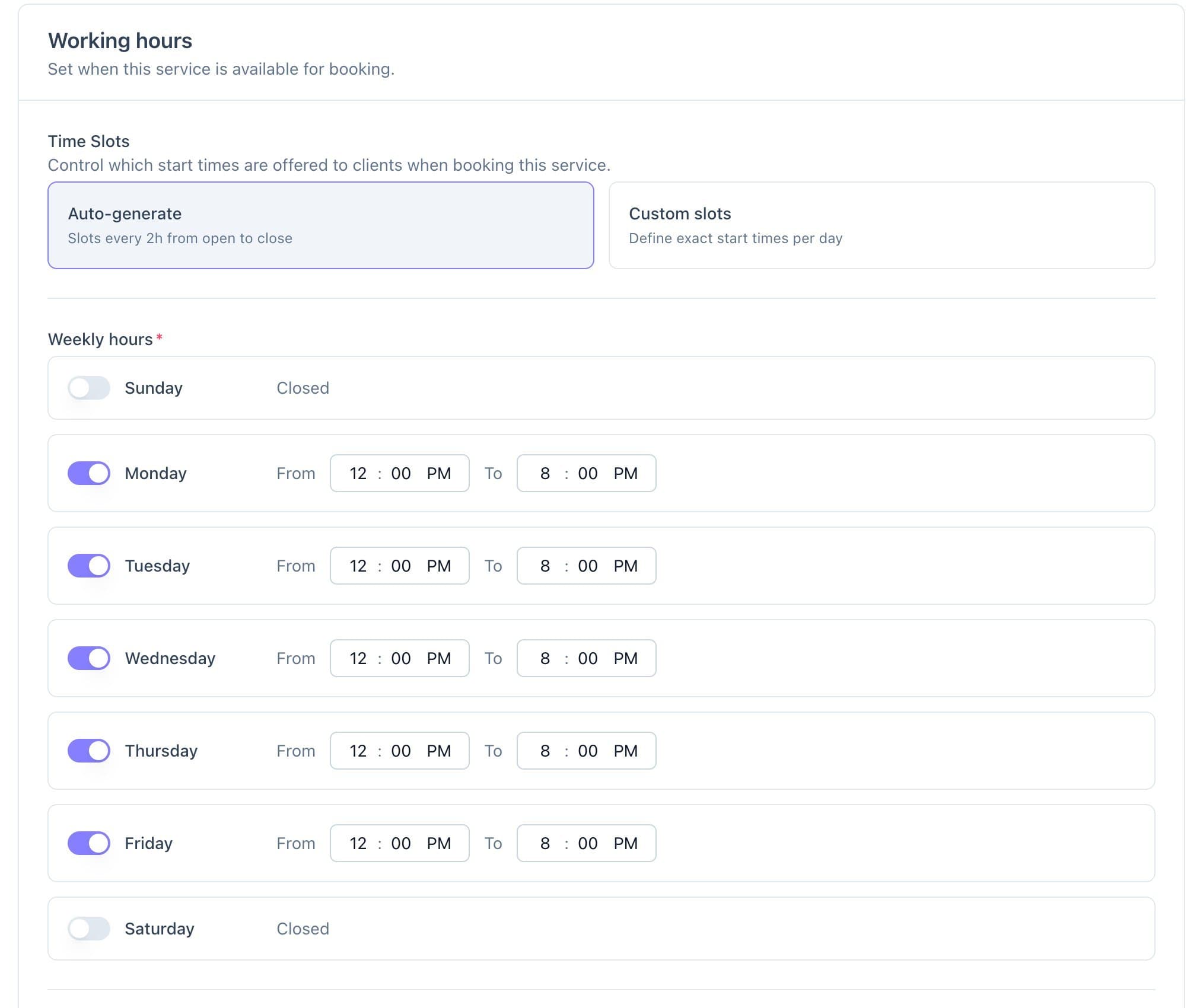
Give each class its exact start times for every day of the week, or let Calende create back-to-back sessions between your opening and closing times. The timetable repeats every week.
- Exact start times, day by day
- Or automatic sessions within your hours
- Buffer time between automatic sessions
Your cancellation policy, applied for you
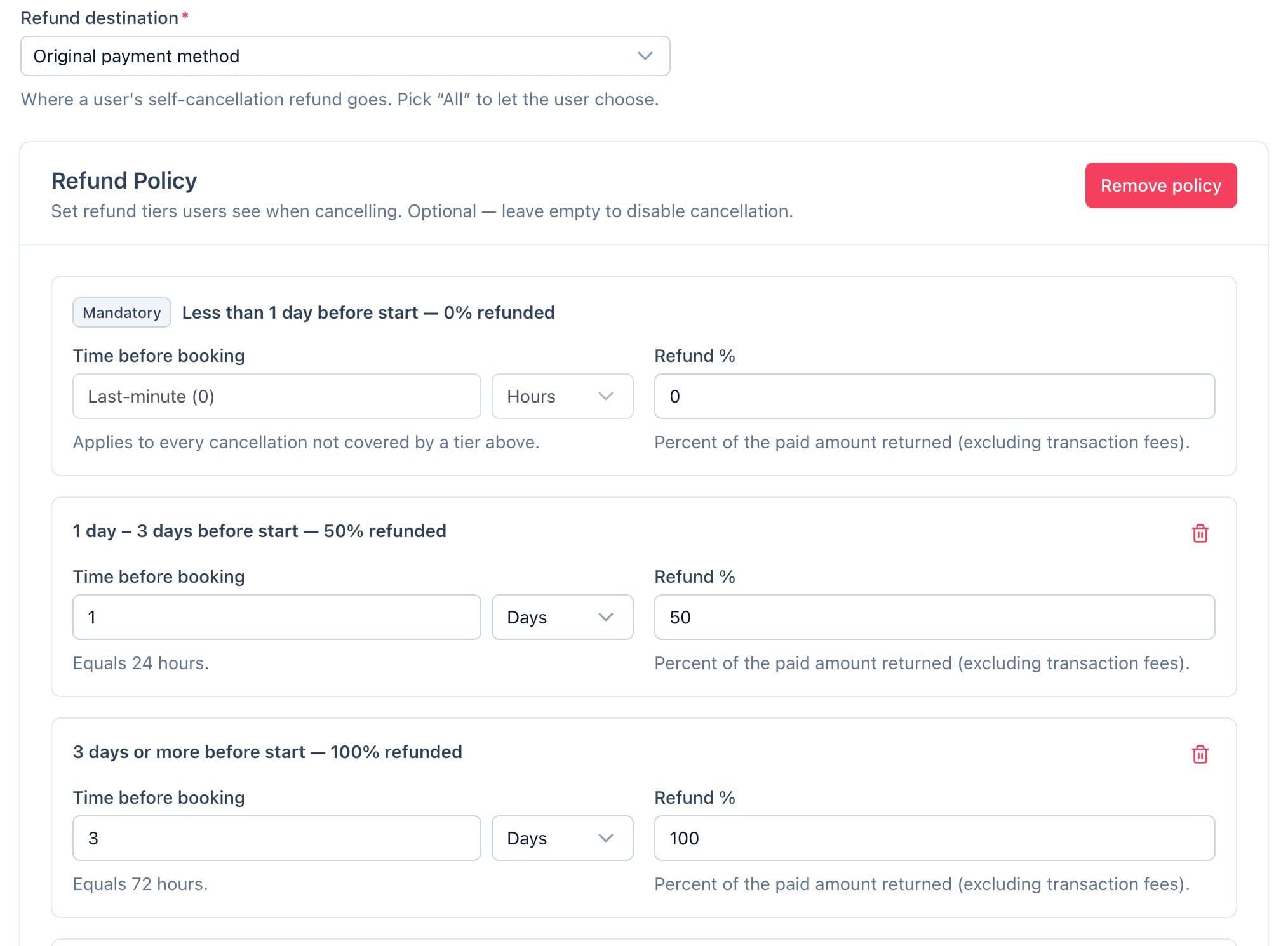
Set refund tiers by how long before class someone cancels. Calende works out the refund, and you choose whether it goes back to the card, to the student's account credit, or lets them pick.
- Refund tiers by time before class
- Refund to the card or to account credit
- Reschedules automatic, approved by you, or off
Rent your room out between classes
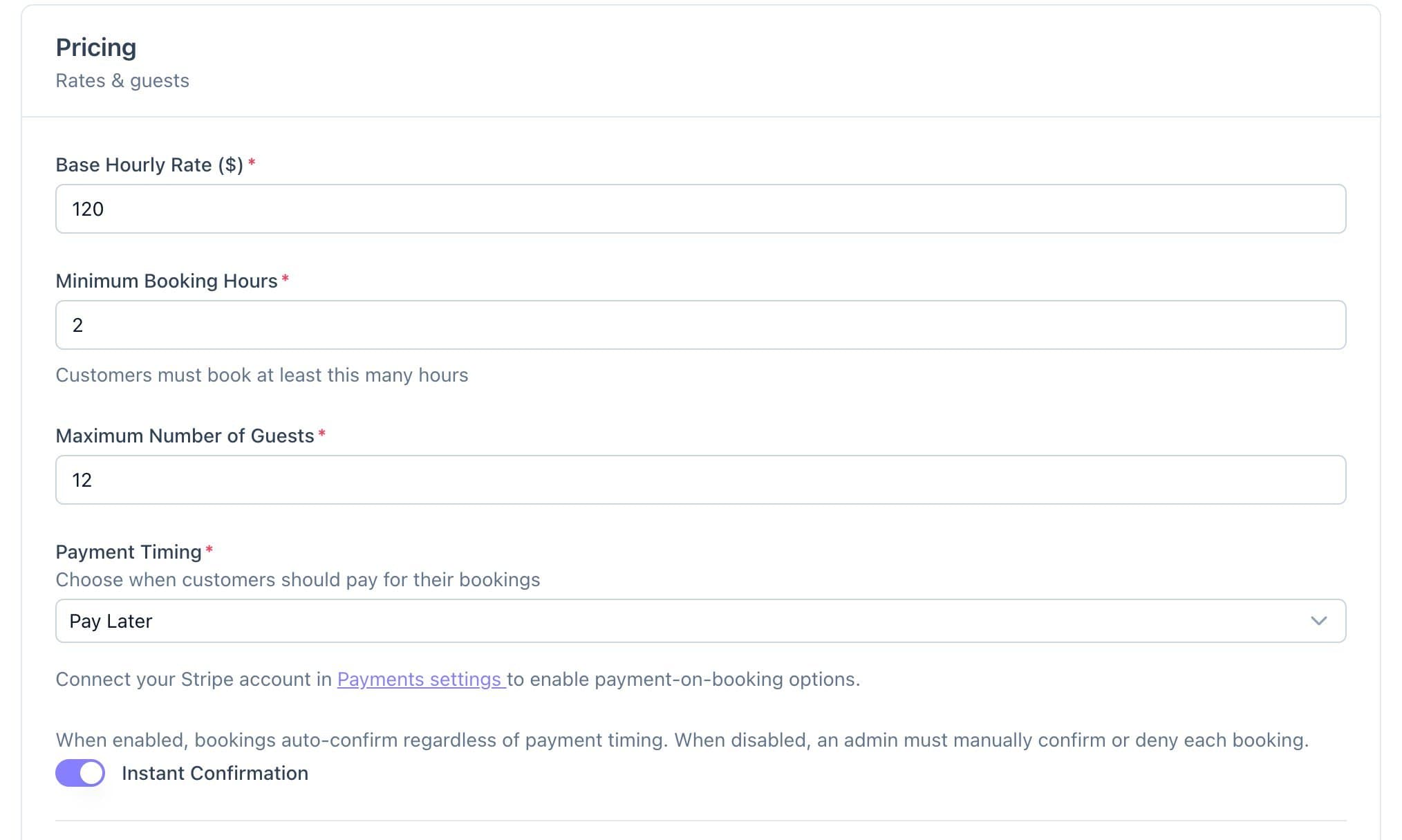
List your studio by the hour for other teachers, workshops and private events. Set a minimum booking, buffers to reset the room, and take a deposit or full payment through Stripe.
- Hourly rate and minimum hours
- Approve each request, or confirm instantly
- Deposit or full payment at booking
Reminders and class details, sent for you
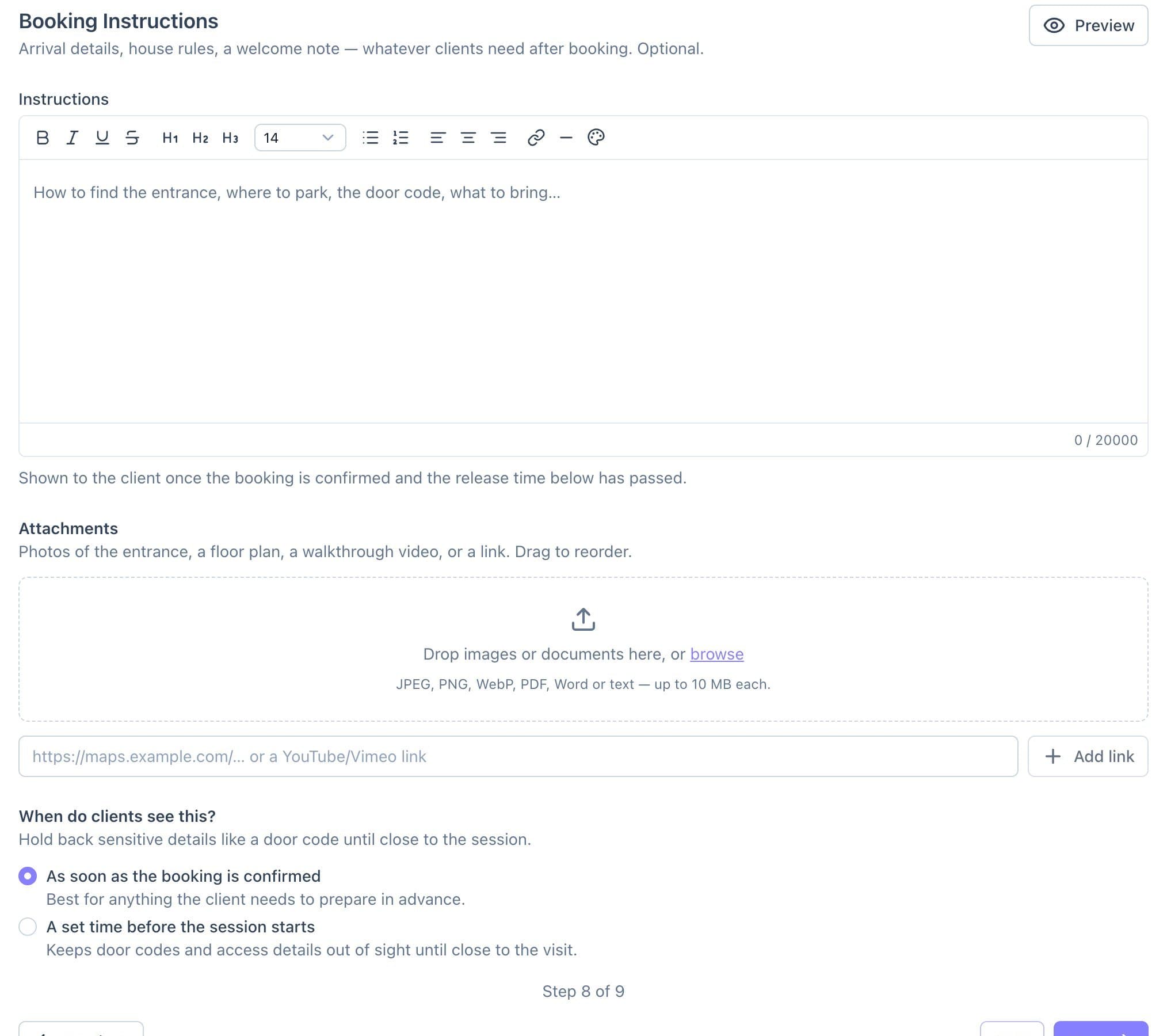
Send a reminder the day before and an hour before class, a follow-up afterwards, and booking instructions with what to bring, released when you choose.
- Reminders 24 hours and 1 hour before
- Follow-ups after class
- Instructions and attachments, released on your timing
Everything else runs from the same place
Student profiles
Booking history, total spent, tags and private notes for every student.
Account credit
Grant credit for a missed class. Students apply their balance when they book.
Discount codes
Codes for intro offers and quiet classes, with expiry dates and usage limits.
Welcome emails
A welcome sequence that starts when a new student signs up.
Inbox
Message students from Calende, with their details and bookings beside the thread.
Your brand, your domain
Your logo and colours on the booking site, on your own address.
Live this week, not next quarter
Set everything up for free. Subscribe when you're ready to take bookings.
- 1
Add your classes
Length, spots, price per person and your weekly start times.
- 2
Connect Stripe
Payments go straight to your own Stripe account.
- 3
Share your booking link
Add it to your website, your newsletter and your Instagram bio.
One plan
$29/ month
or $290/year, two months free
- Every feature, one plan
- Free to set up, no credit card
- No setup fee, no contract
- Cancel anytime
Online card payments carry a 3.5% + 30¢ platform fee per transaction. Cash payments carry no fee.
Start freeLearn it step by step
Short guides with real screens for the parts you'll use first.
- 2.9Create a service: private sessions and group eventsSell headshots, podcasts and workshops, not just hours
- 2.6Set your refund policyClients cancel on their own, on your terms
- 5.1Set up booking confirmations and remindersClients know they're booked, and fewer no-shows
- 4.5Store credit: grant, deduct and refund to creditRefunds stay in the business
Yoga studios: your questions, answered
- Can students book and pay online?
- Yes. Students choose a class, a day and a time, and pay through your own Stripe account when they book. You can also take a deposit, let them pay later, or record cash.
- Can I limit how many people come to each class?
- Yes. Set the number of spots for each class. Students see how many are left, and a full session can't be booked.
- Can I offer private sessions?
- Yes. A private session gives one booking the whole slot, with a flat price and the group size you allow.
- Can I rent my studio to other teachers?
- Yes. List the room by the hour with a minimum booking, buffers and a deposit, and approve each request or let it confirm instantly.
- Do you have class packs or unlimited memberships?
- Not yet. Today students pay per class, and you can give them account credit to use on future bookings. Calende's memberships currently cover hours of room rental, not classes.
- What does it cost?
- One plan: $29/month, or $290/year. Setting up is free, and you subscribe when you're ready to take bookings. Online card payments carry a 3.5% + 30¢ platform fee per transaction; cash payments carry none.
Fill your classes, not your inbox
Free to set up. Subscribe when you're ready to take bookings.