Set up booking confirmations and reminders
1:26 video · For owners
Why it matters
A clear confirmation and a reminder the day before are the cheapest fix for no-shows. Calende sends a booking confirmation only once you've written one, and each room has its own.
Step by step
- Click Emails, stay on the Studios tab and choose a room.
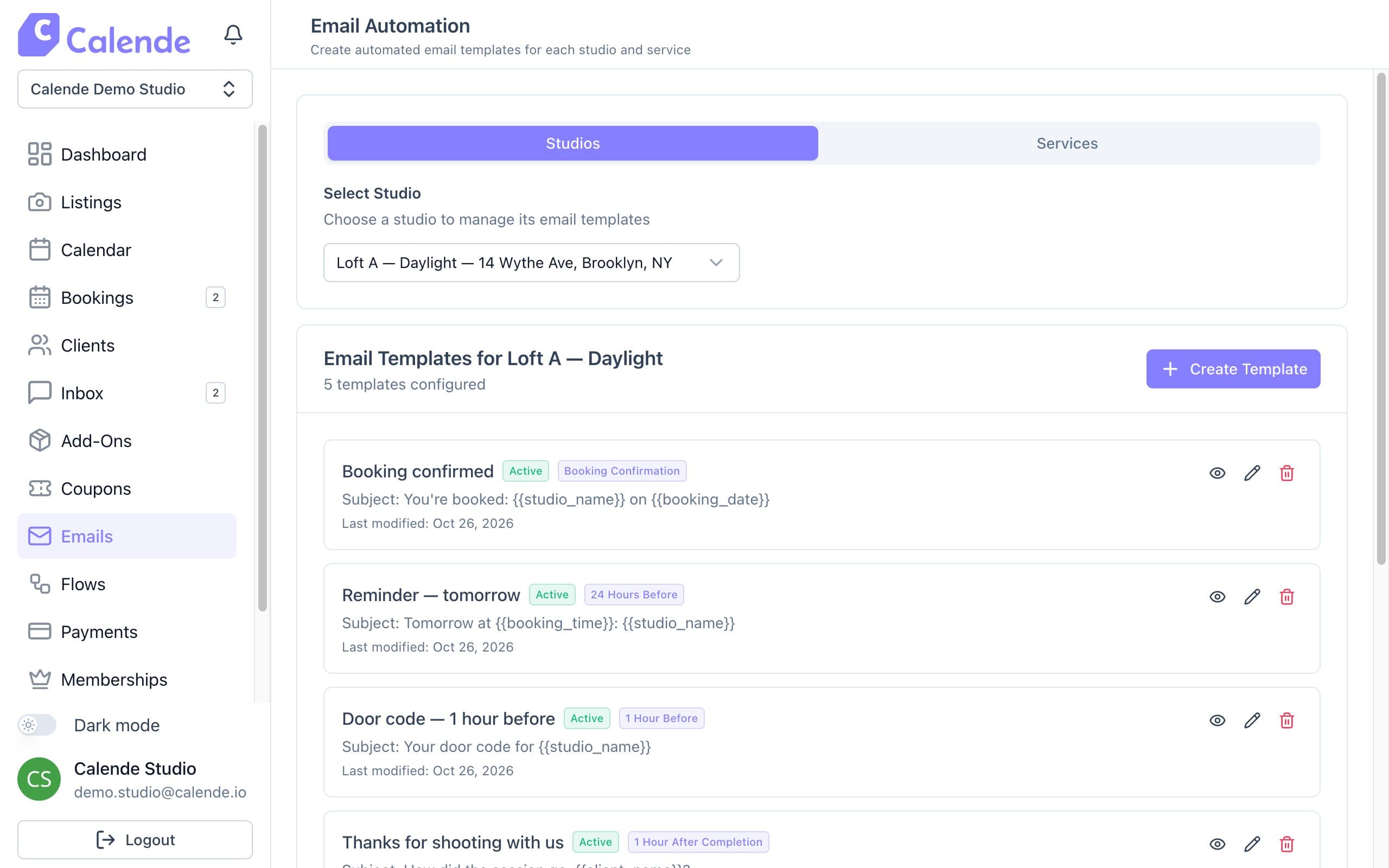
Email templates for one room. - Click Create Template, name it and set Send Timing to Booking Confirmation.
- Write the Email Subject and Email Body. Click a variable such as {{client_name}} to copy it, then paste it in.
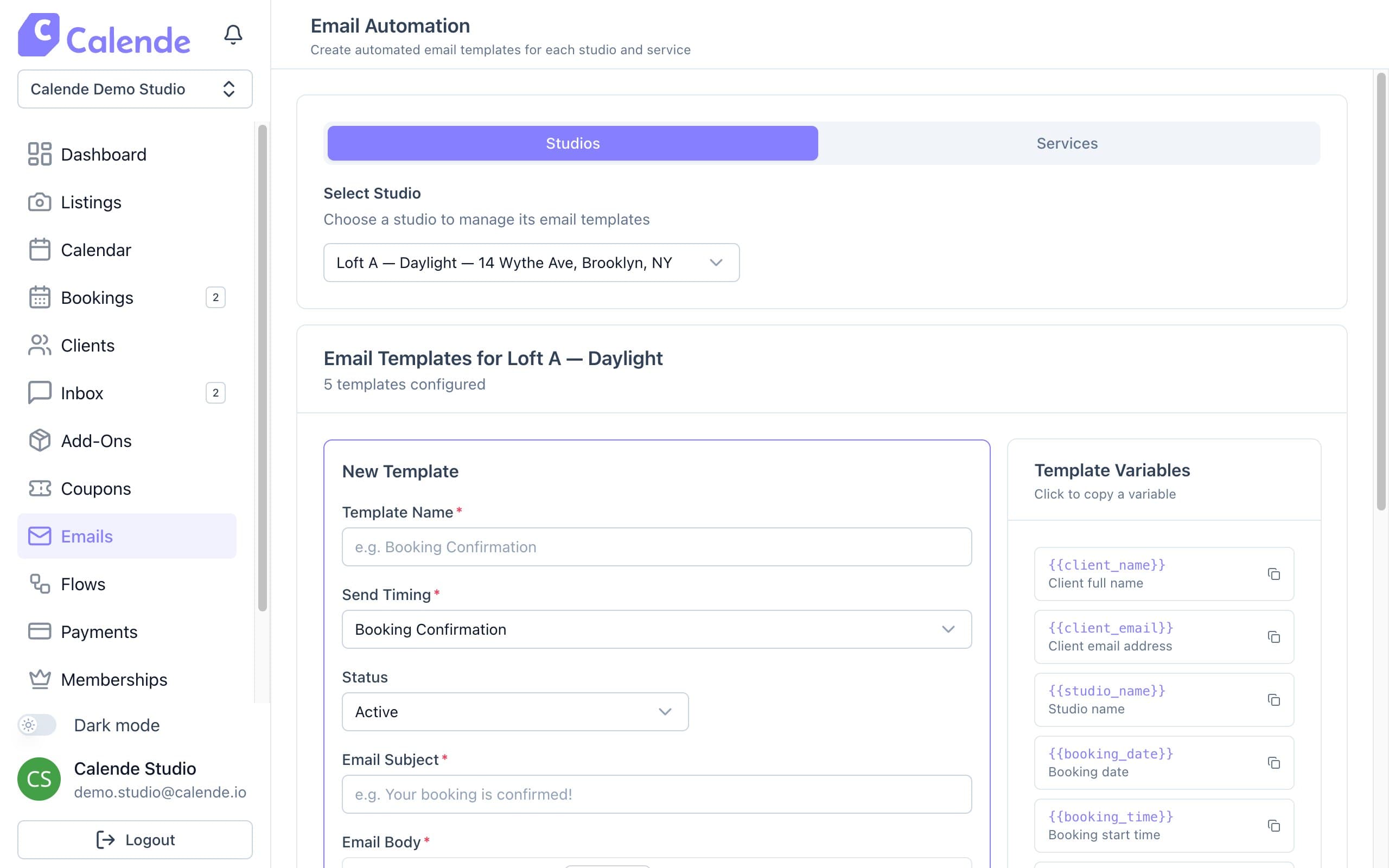
A new template, with variables to copy on the right. - Click Preview, then Create Template.
- Repeat with Send Timing set to 24 Hours Before for a reminder.
- Use the Services tab for your services' emails.
Good to know
- The confirmation goes out once a booking is confirmed and any upfront payment is made.
- Reminders go only to confirmed bookings.
- Automation Overview shows which emails each room has.