Build a welcome flow for new clients
1:13 video · For owners
Why it matters
A friendly welcome series turns someone who just signed up into a first booking. A flow is a sequence of waits, emails, texts and checks that starts when a client signs up.
Step by step
- Click Flows, then Create Flow, and enter a Flow Name.
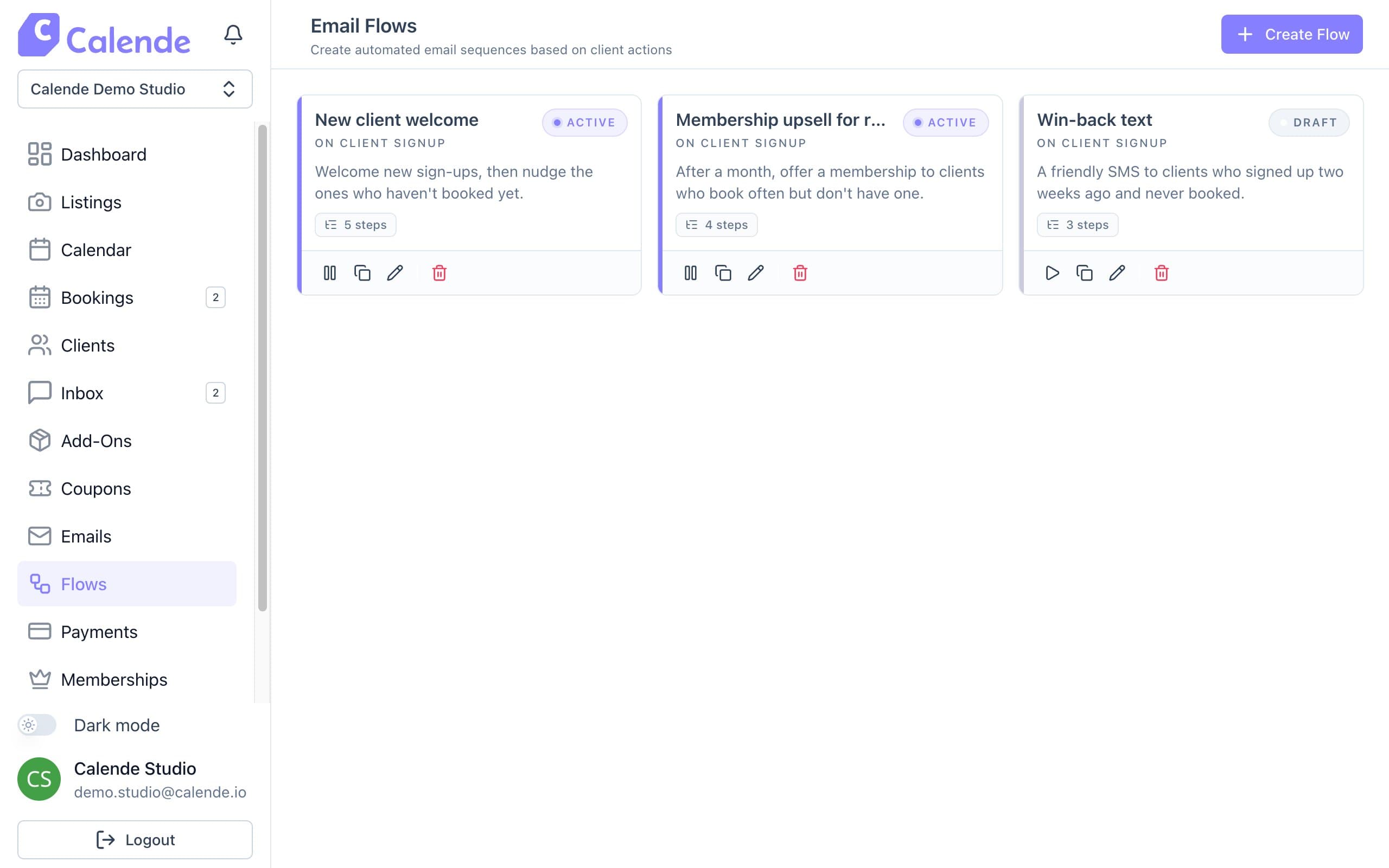
Email Flows, each started by a client signing up. - Click the plus under Client Sign Up and add a Wait/Delay, such as 1 hour.
- Add a Send Email step with a welcome message.
- Add another wait and a second email, such as your best rooms or a studio tour.
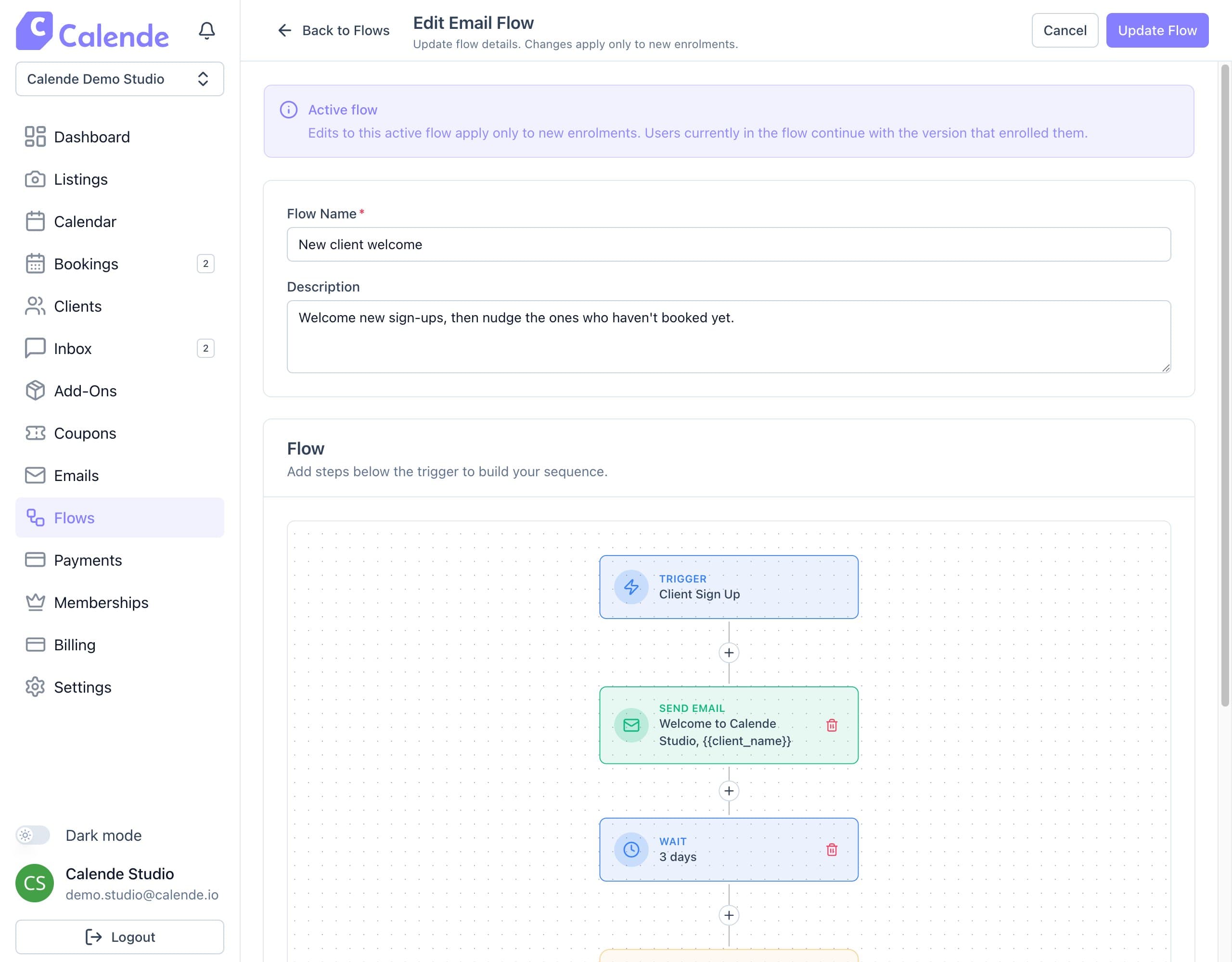
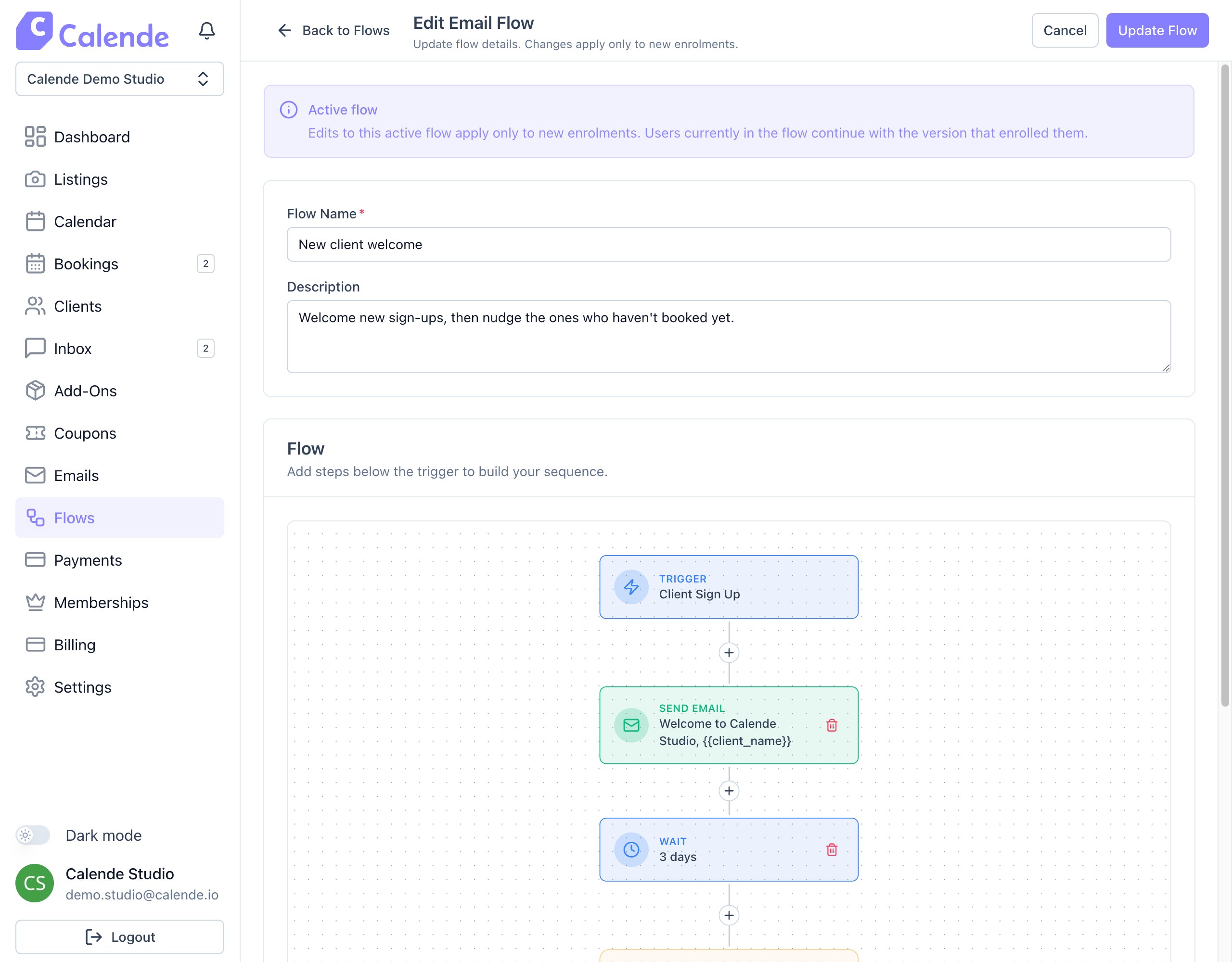
A flow in the builder: trigger, email, wait. - Click Create Flow. It's saved as a draft.
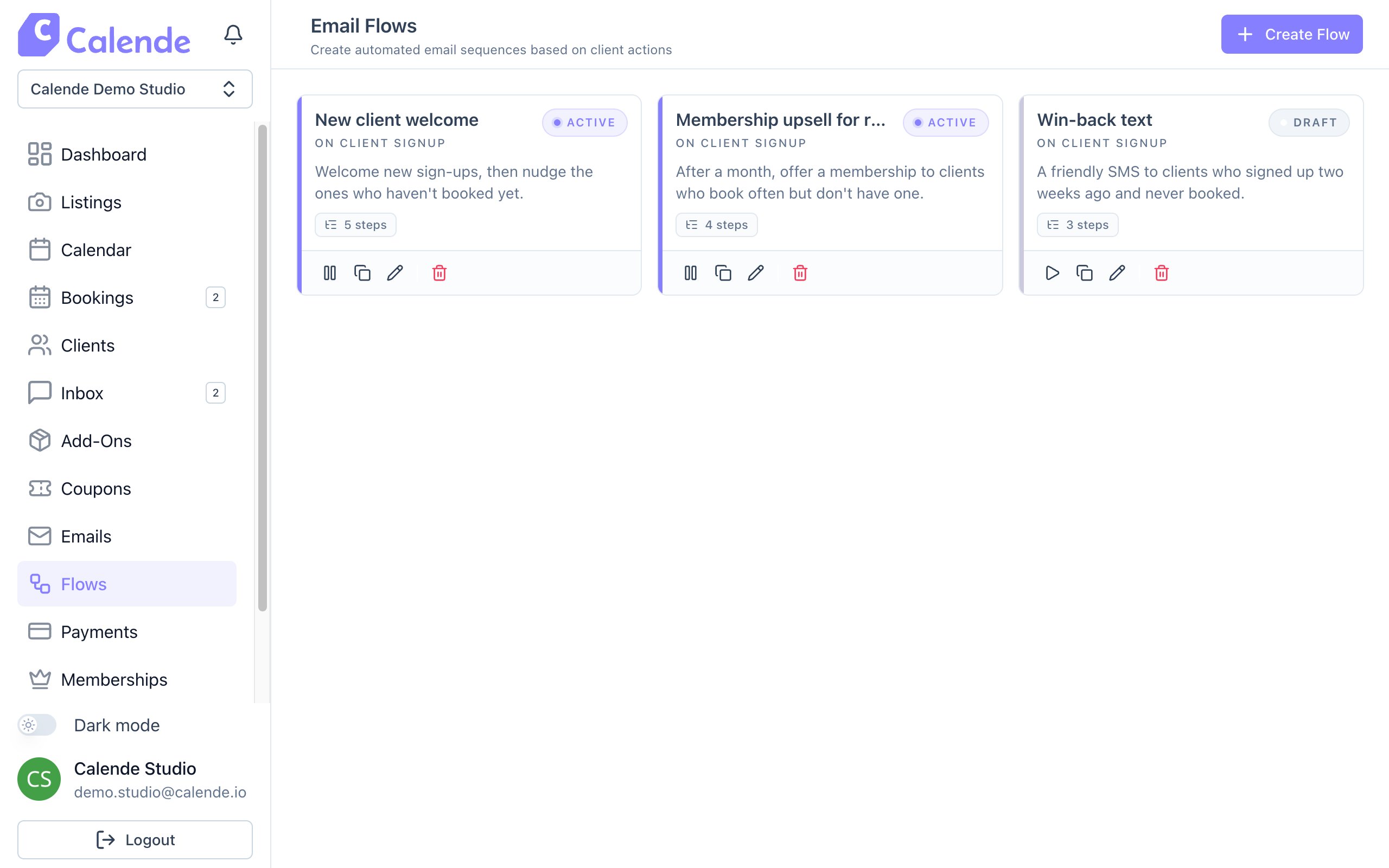
- On the flow card, click the play icon to activate it.
Good to know
- Flows include only clients who sign up after you activate them.
- Clients you import or add yourself aren't included.