Booking software for photo studio rentals
Clients pick a room, a start time and how long they need, pay through Stripe, and get your rules and door details automatically. You stop answering “is Saturday free?” in your DMs.
Running a rental studio shouldn't mean living in your inbox
“Is Saturday 2 to 6 free?”
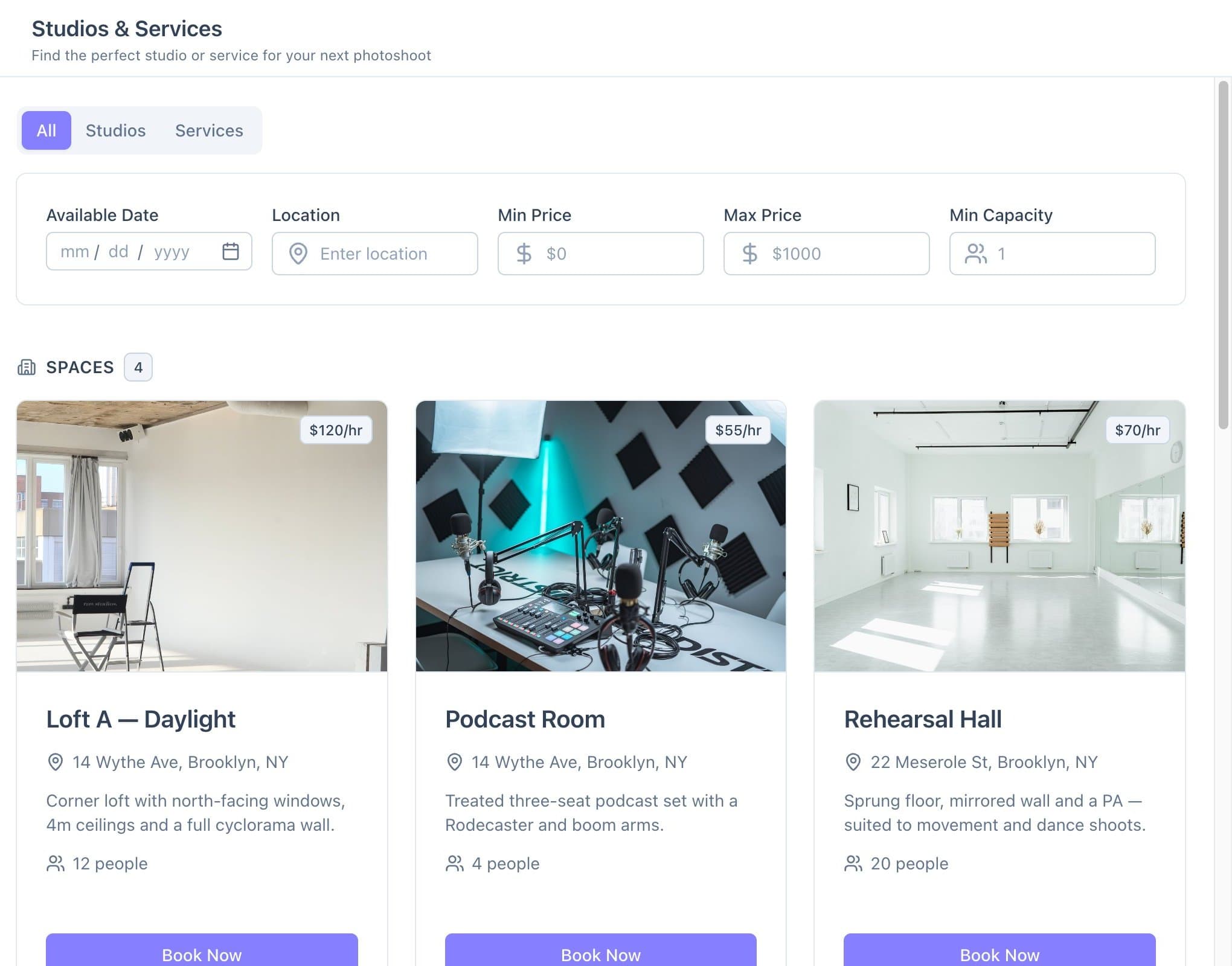
Clients see live availability for every room and book the hours they need. Your calendar stops running through DMs.
Holds that never turn into payment
Take payment or a deposit when they book. If a client doesn't finish paying, the booking cancels itself after 30 minutes and the slot opens up again.
Shoots that run into each other
Set buffers before and after every booking, booking increments and a minimum notice period, so there's always time to reset the set.
From first enquiry to wrap, without the back-and-forth
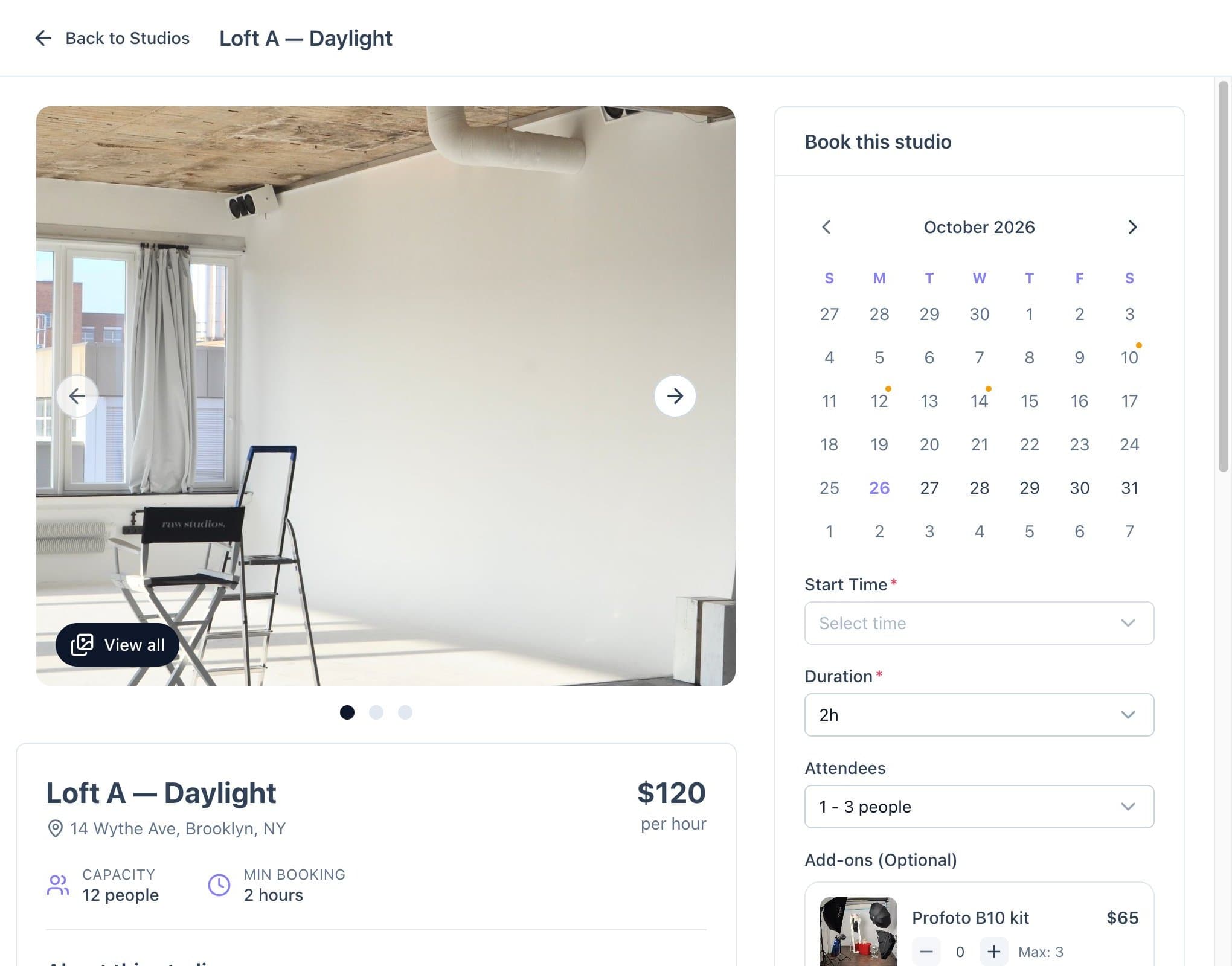
Clients book the room, the hours and the extras
Your booking site shows live availability. Clients choose a day, a start time and a duration, add equipment, and pay, without a single message to you.
- Live availability for each room
- Start time and duration picked by the client
- Add-ons like lighting kits at checkout
Hourly rates that match how you really charge
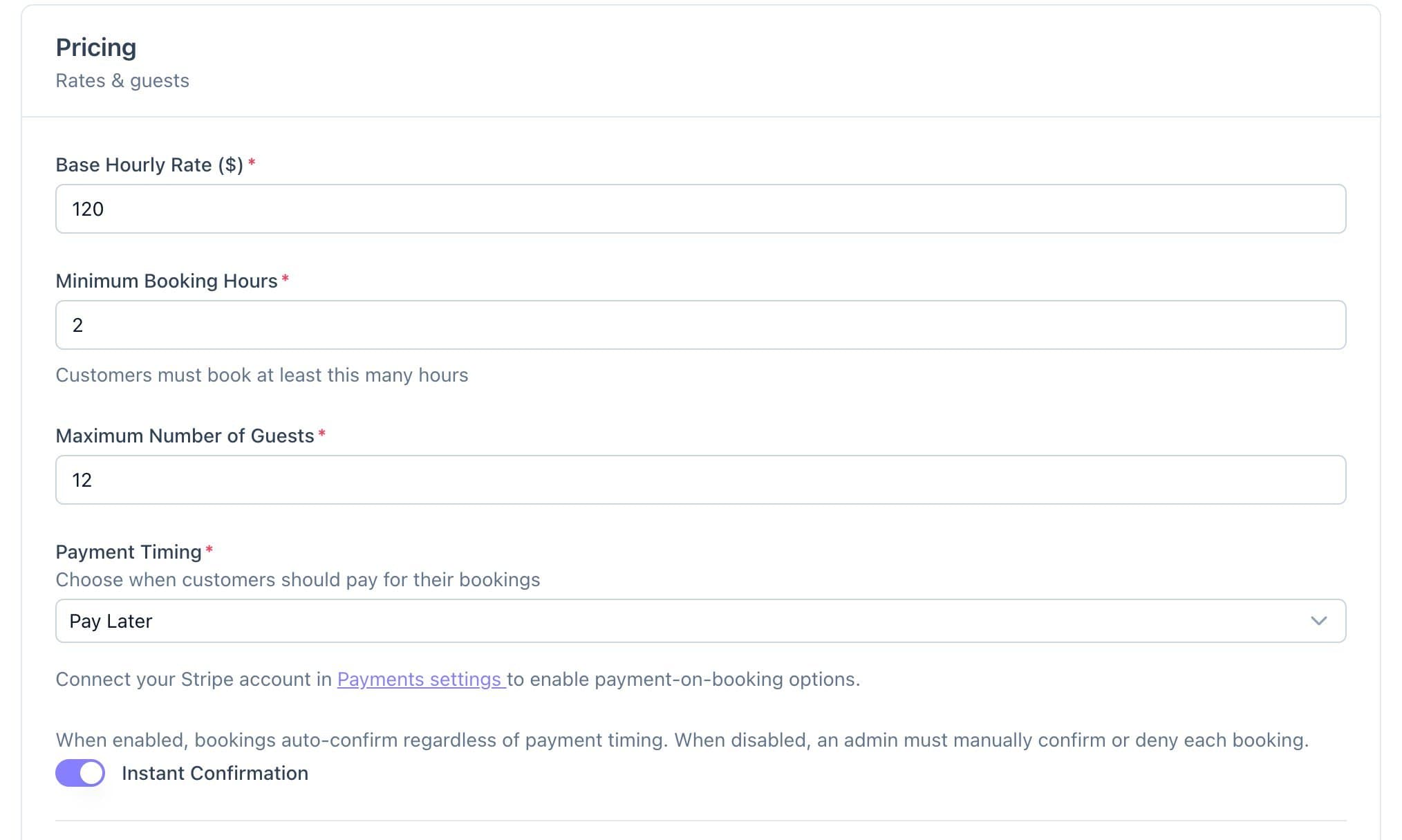
Set a base hourly rate and a minimum number of hours for each room, then charge more for bigger groups and set custom rates for weekends or specific dates.
- Base hourly rate and minimum hours per room
- Price tiers by number of guests
- Custom rates for weekends or specific dates
Paid before the shoot, not after
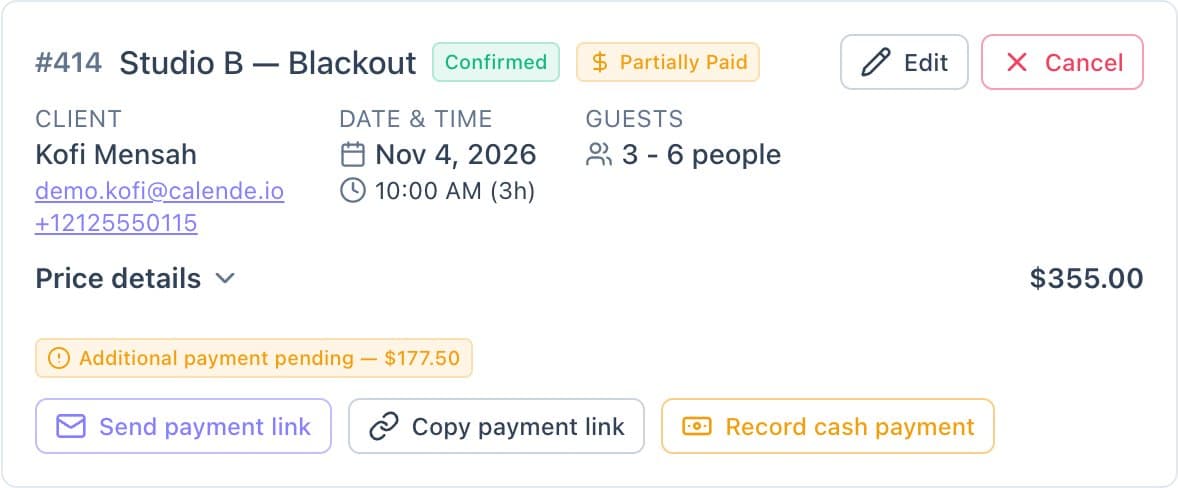
Take full payment or a deposit through your own Stripe account. Send a payment link for the balance or record a cash payment, and let your refund policy work out what's owed when someone cancels.
- Full payment or a deposit at booking
- Payment links for the balance, or record cash
- Refund tiers based on how close to the shoot they cancel
Door codes and reminders that send themselves
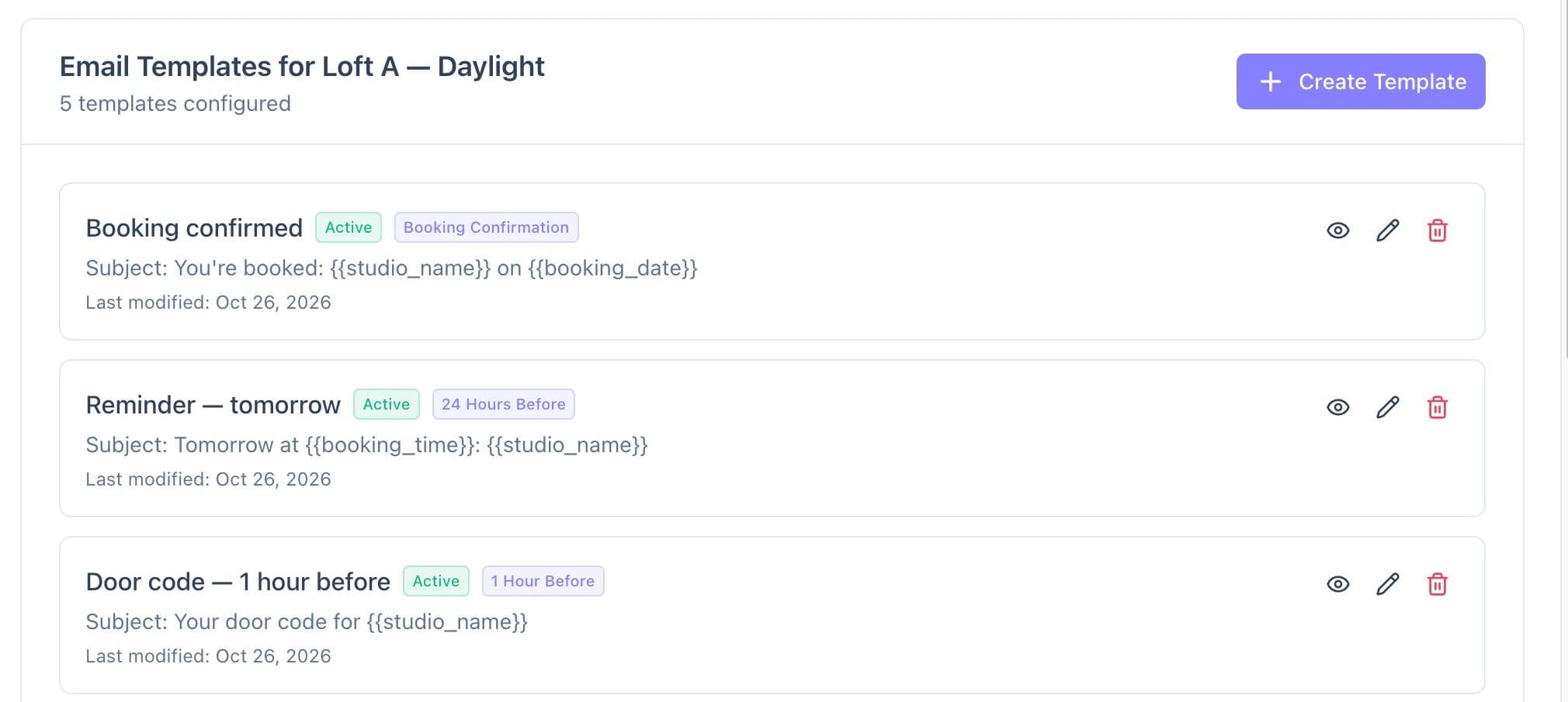
Write each email once per room: the confirmation, a reminder the day before, the door code an hour before, and a thank-you after the shoot. Calende fills in the client's name, date and time.
- Templates timed before or after each booking
- Different details for each room
- Follow-ups that bring clients back
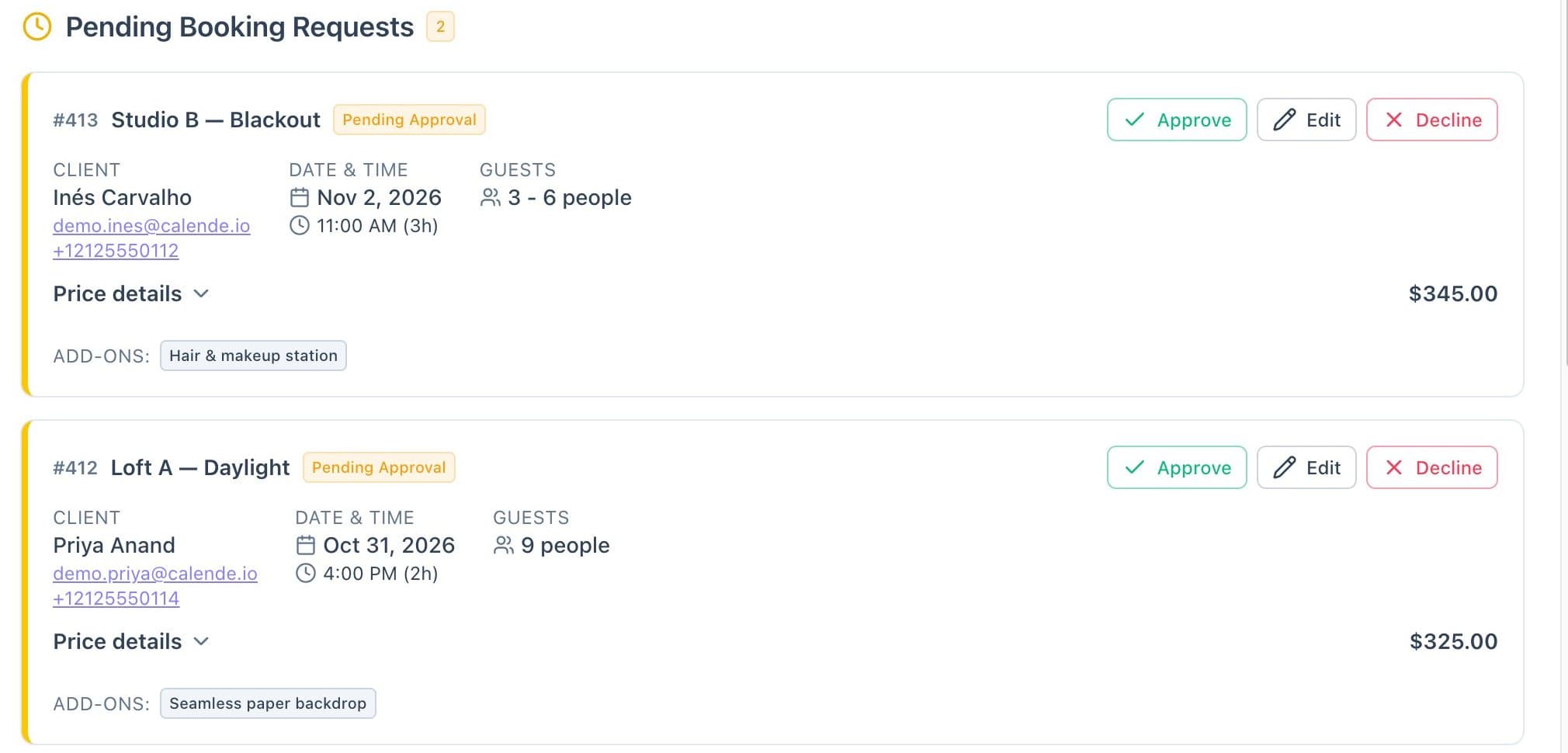
Approve each booking, or let rooms book themselves
Keep control of who uses your space. New requests wait at the top of Bookings with Approve, Edit and Decline. For rooms you trust to run themselves, switch on Instant Confirmation.
- Approve, edit or decline requests
- Instant Confirmation, room by room
- Client changes can wait for your approval
Everything else runs from the same place
Google Calendar
Bookings land in Google Calendar, and events you add there block the room.
Client profiles
Booking history, total spent, tags and private notes for every client.
Inbox
Message clients from Calende, with their details and bookings beside the thread.
Memberships and coupons
Monthly plans with hours included for regulars, and discount codes for quiet days.
Your brand, your domain
Your logo and colours on the booking site, on your own address.
More than one studio
Add every room you have, and switch between separate studio businesses from one login.
Live this week, not next quarter
Set everything up for free. Subscribe when you're ready to take bookings.
- 1
Add your rooms
Photos, hourly rate, opening hours and the rules for each space.
- 2
Connect Stripe
Payments go straight to your own Stripe account.
- 3
Share your booking link
Put it in your bio and on your website, or move it to your own domain.
One plan
$29/ month
or $290/year, two months free
- Every feature, one plan
- Free to set up, no credit card
- No setup fee, no contract
- Cancel anytime
Online card payments carry a 3.5% + 30¢ platform fee per transaction. Cash payments carry no fee.
Start freeLearn it step by step
Short guides with real screens for the parts you'll use first.
- 2.1Create a room: details, photos and amenitiesA listing that sells the space before anyone visits
- 2.3Pricing: hourly rate, custom rates and guest tiersPeak times and big crews priced automatically
- 2.5Take deposits instead of full paymentSecure the slot without asking for the full price upfront
- 5.1Set up booking confirmations and remindersClients know they're booked, and fewer no-shows
Photo studios: your questions, answered
- Can clients book by the hour?
- Yes. Clients choose a day, a start time and a duration. You set opening hours, booking increments, a minimum number of hours and how much notice you need.
- Can I charge more for bigger groups or weekends?
- Yes. Guest-count tiers add to the price as the group grows, and custom rates let you charge differently on weekends or specific dates.
- Can I take a deposit instead of full payment?
- Yes. Choose full payment or a deposit at booking for each room. You can send a payment link for the balance later, or record a cash payment.
- Can I approve bookings before they're confirmed?
- Yes. Requests wait in Bookings for you to approve, edit or decline. Switch on Instant Confirmation for any room you'd rather have book itself.
- What does it cost?
- One plan: $29/month, or $290/year. Setting up is free, and you subscribe when you're ready to take bookings. Online card payments carry a 3.5% + 30¢ platform fee per transaction; cash payments carry none.
- Can I rent out more than one studio?
- Yes. Add as many rooms as you have, and run separate studio businesses from the same login.
Fill your studio without the back-and-forth
Free to set up. Subscribe when you're ready to take bookings.