Approve or decline booking requests
0:59 video · For owners
Why it matters
Rooms that need your approval turn every booking into a request. Answering quickly is the difference between a booking and a lost client.
Step by step
- When a request arrives, you get a notification in the bell and an email.
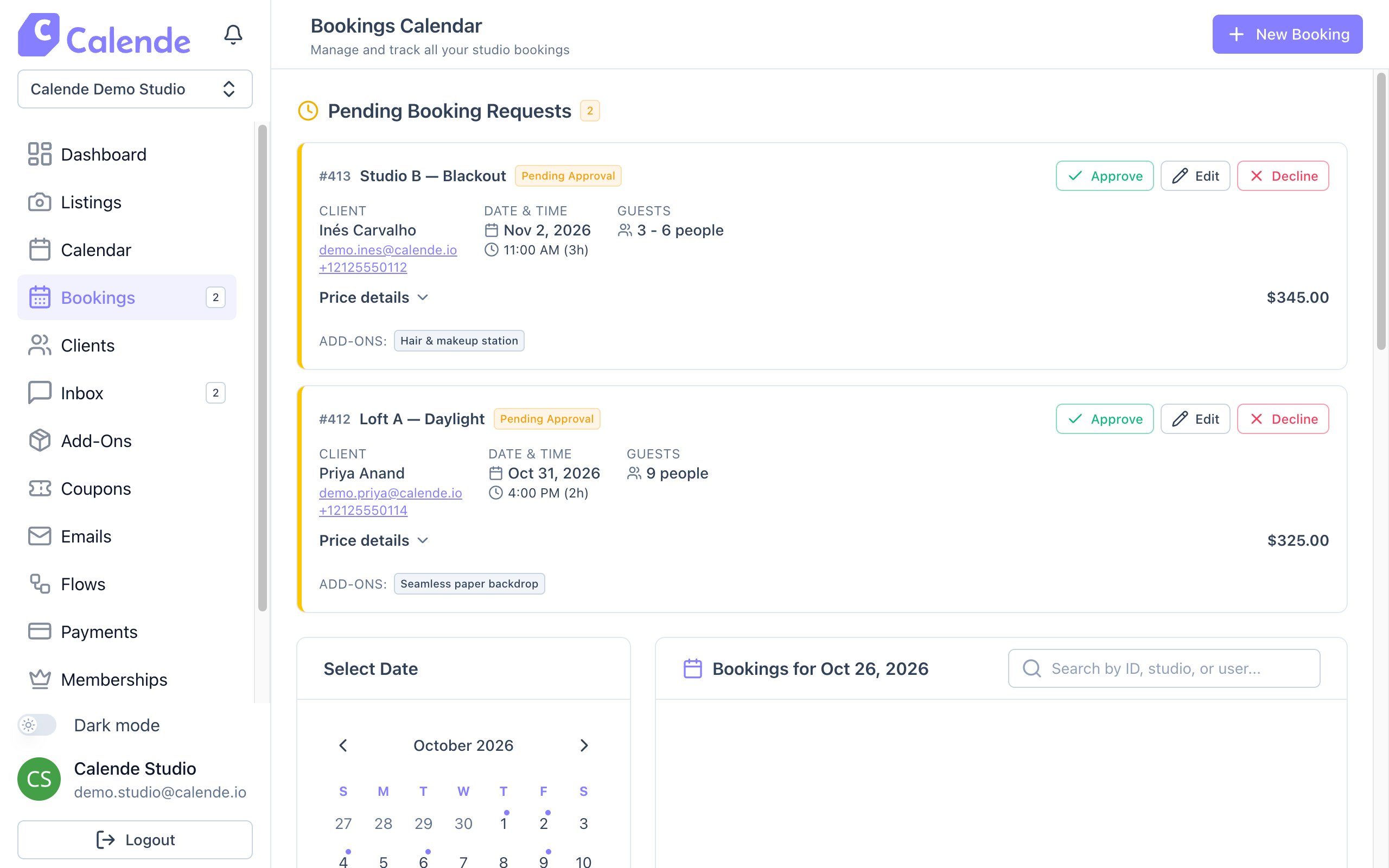
- Click Bookings. Requests wait under Pending Booking Requests.
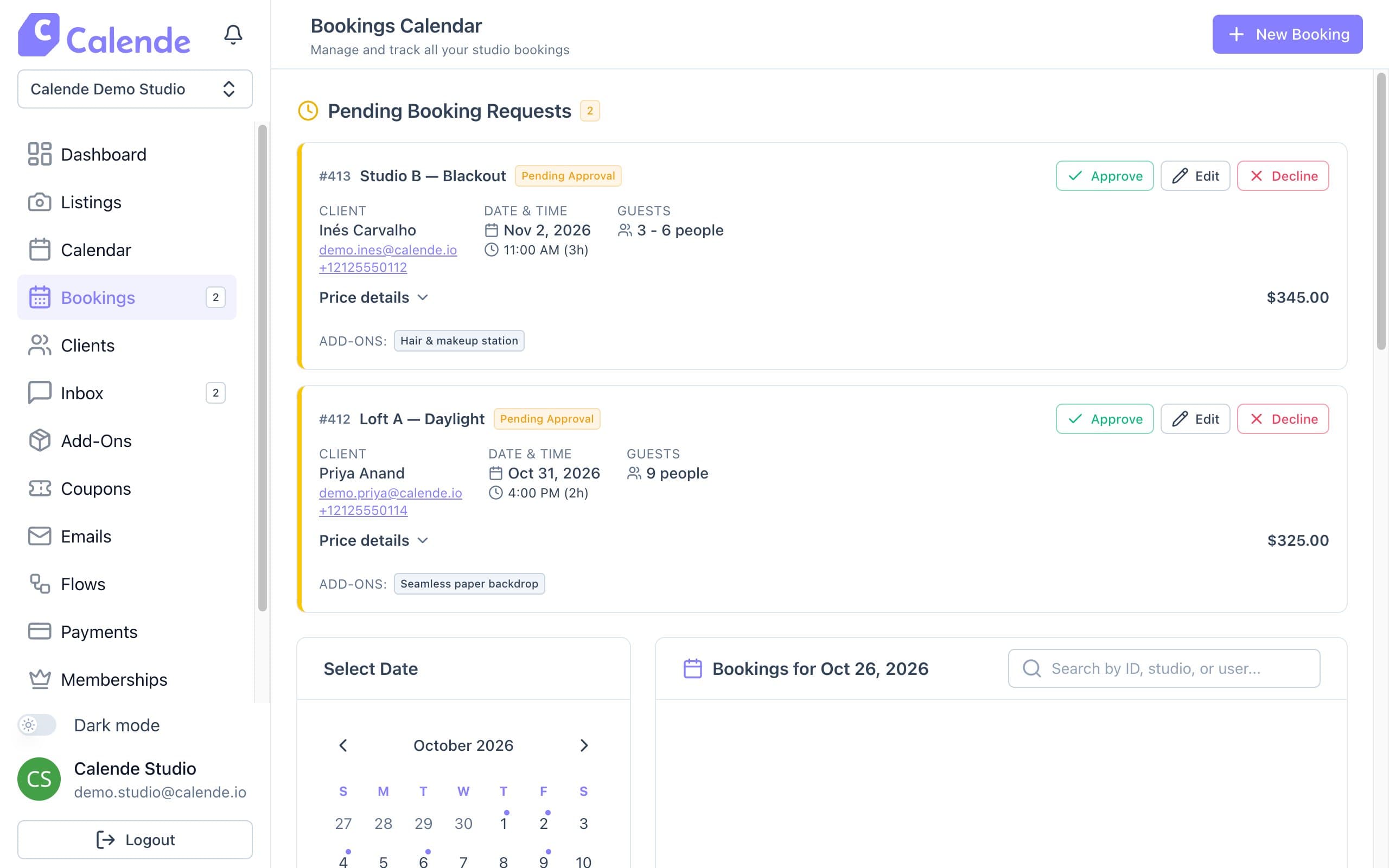
Pending Booking Requests at the top of Bookings. - Click Approve. Rooms without upfront payment confirm straight away.
- For rooms paid upfront, the client is emailed a payment link and the booking confirms when they pay.
- Click Decline to turn a request down. Nothing was charged, so there's nothing to refund.
Good to know
- After approval, the client has 30 minutes to pay before the slot is released.
- Turn on Instant Confirmation for rooms that don't need your review.