Instant confirmation or approval first
1:12 video · For owners
Why it matters
Instant booking means more bookings with no admin. Approval lets you check new clients or unusual requests first.
Step by step
- Open the room's Edit page and go to Pricing.
- Find the Instant Confirmation switch. It's off by default.
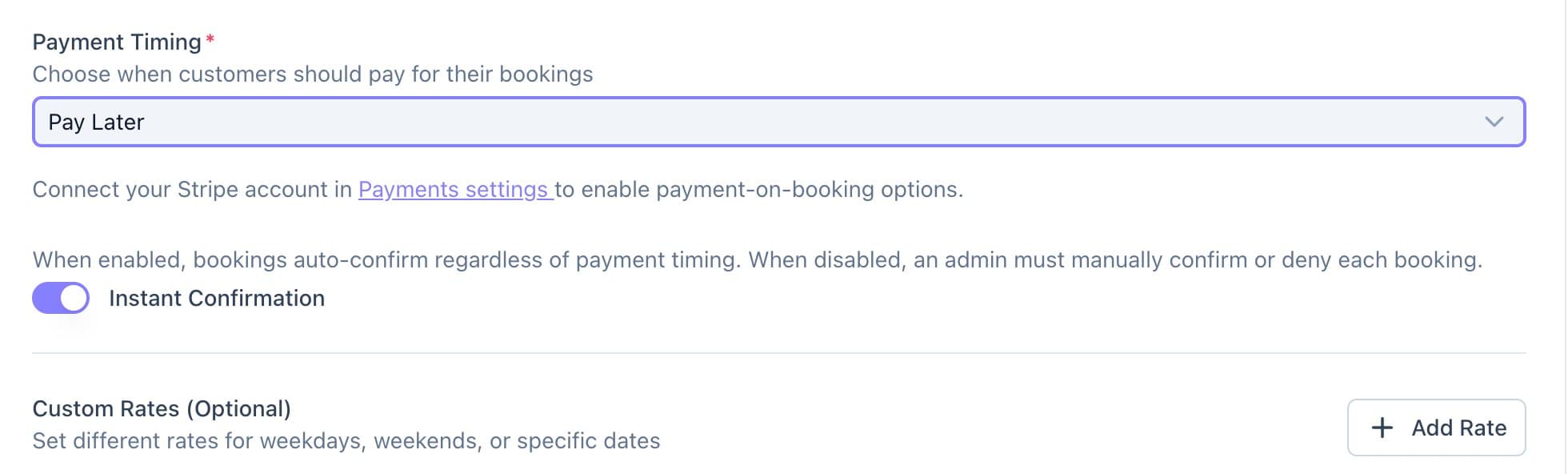
The Instant Confirmation switch sits under Payment Timing. - Switched on, bookings confirm on their own, and rooms paid upfront confirm the moment the client pays.
- Switched off, each booking arrives as a request. Once you approve it, the client gets a link to pay.
- Click Save.
Good to know
- Requests wait at the top of Bookings, and the bell tells you when a new one arrives.
- A client who is sent a payment link has 30 minutes to pay before the slot is released.