Let clients reschedule or change their hours
1:27 video · For owners
Why it matters
An edit policy lets clients move, shorten or extend a confirmed booking under your rules, with automatic approval where you want it.
Step by step
- Open the room's Edit page, go to Edit Policy and click Enable edit policy.
- For each time window, set Reschedule, Reduce and Extend to Auto-approve, Needs approval or Not allowed.
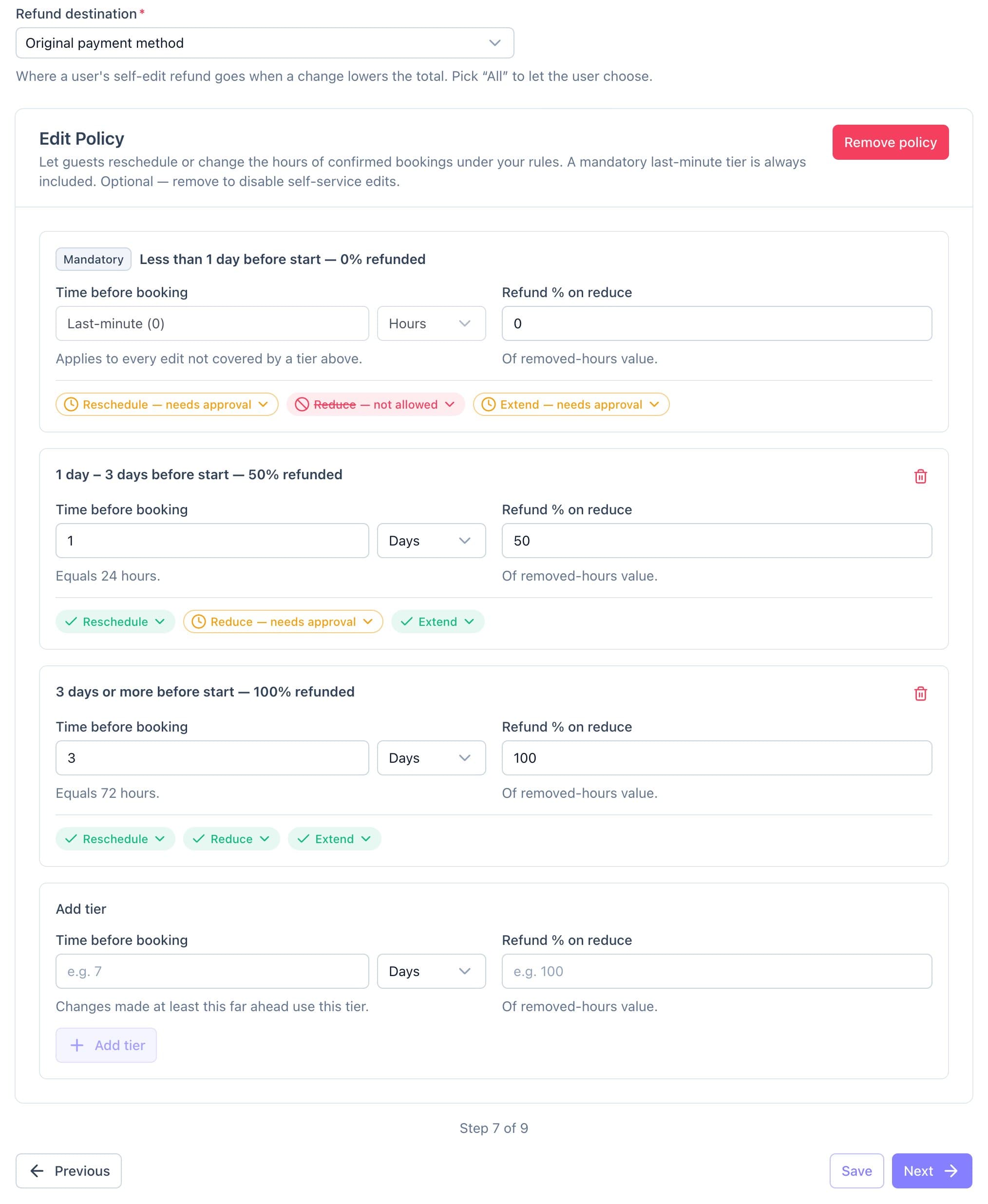
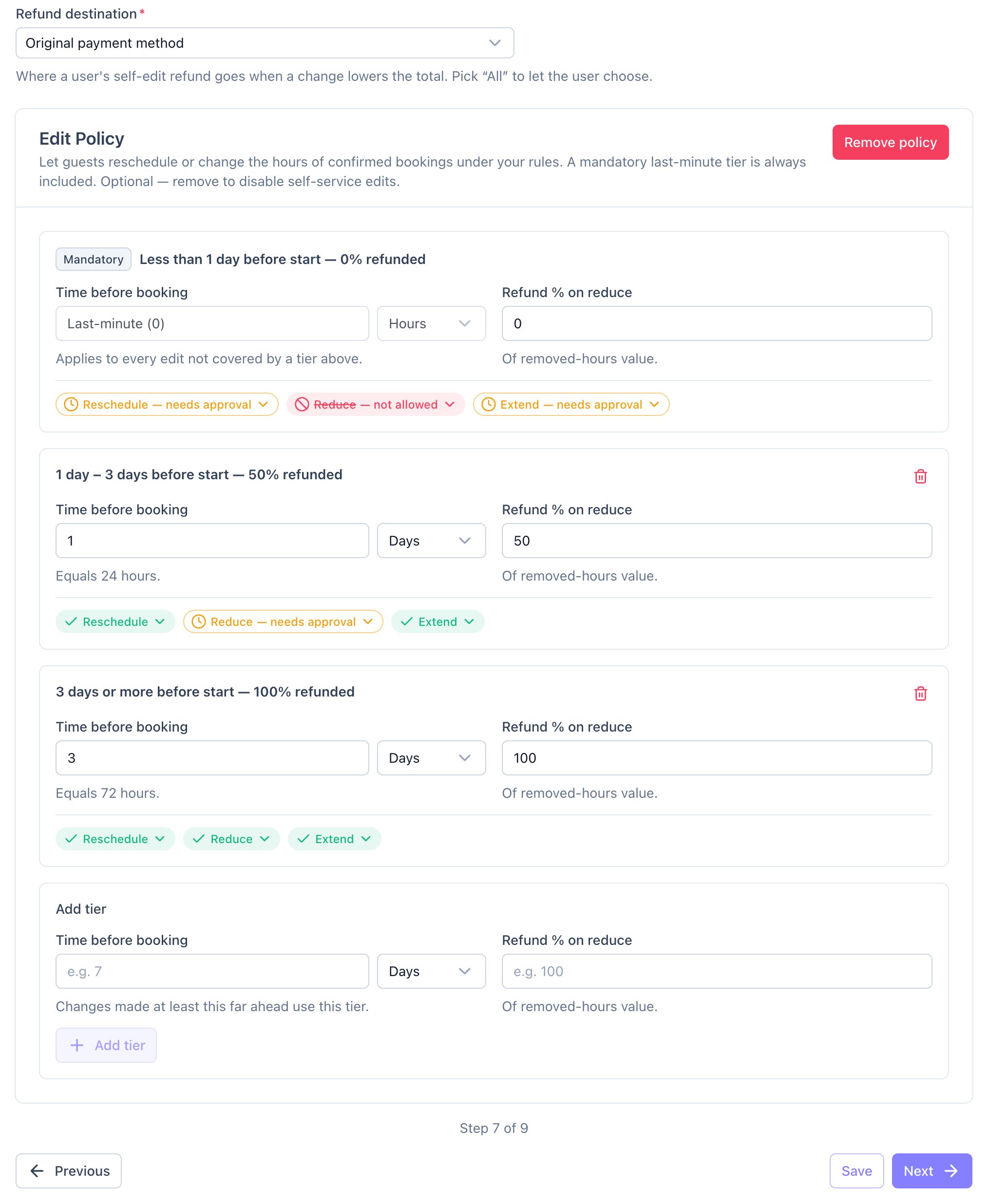
An edit policy. Each tier sets Reschedule, Reduce and Extend separately. - Set Refund % on reduce for when a client takes hours off.
- Click Save.
Good to know
- Inside the last-minute window, every change needs your approval by default.
- For services, the edit policy covers rescheduling only.