Create a service: private sessions and group events
1:28 video · For owners
Why it matters
A service has a fixed price and length. It can be a private session or a group event where people buy seats, and it reserves its room automatically.
Step by step
- Click Listings, then Add Space/Service, then Service.
- Enter the Service name and choose its Locations.
- Set the Price ($) and Duration (minutes), plus payment timing and instant confirmation.
- Under Booking mode, choose Private session or Group event and set the capacity.
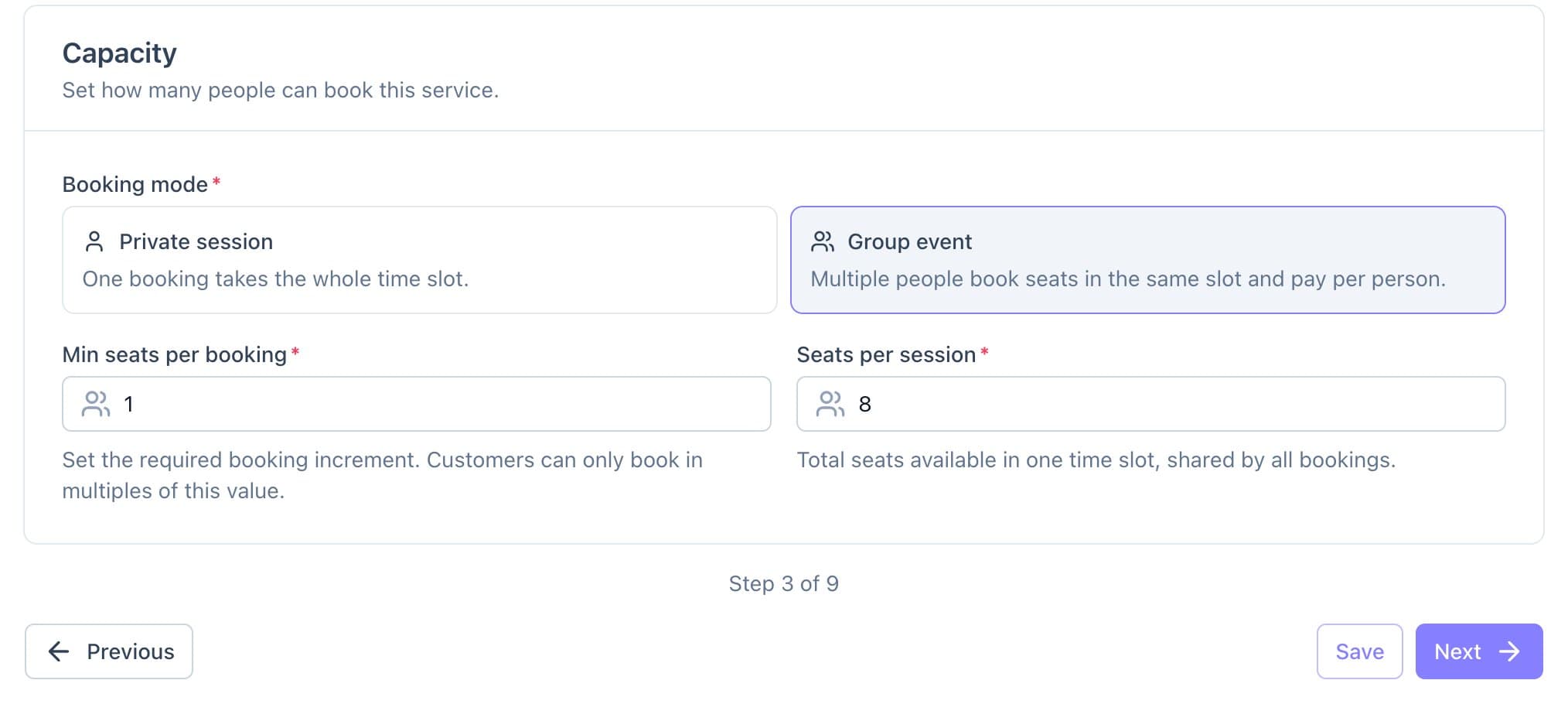
Booking mode: a group event where clients buy seats. - Under Time Slots, choose Auto-generate from your weekly hours, or Custom slots with exact start times.
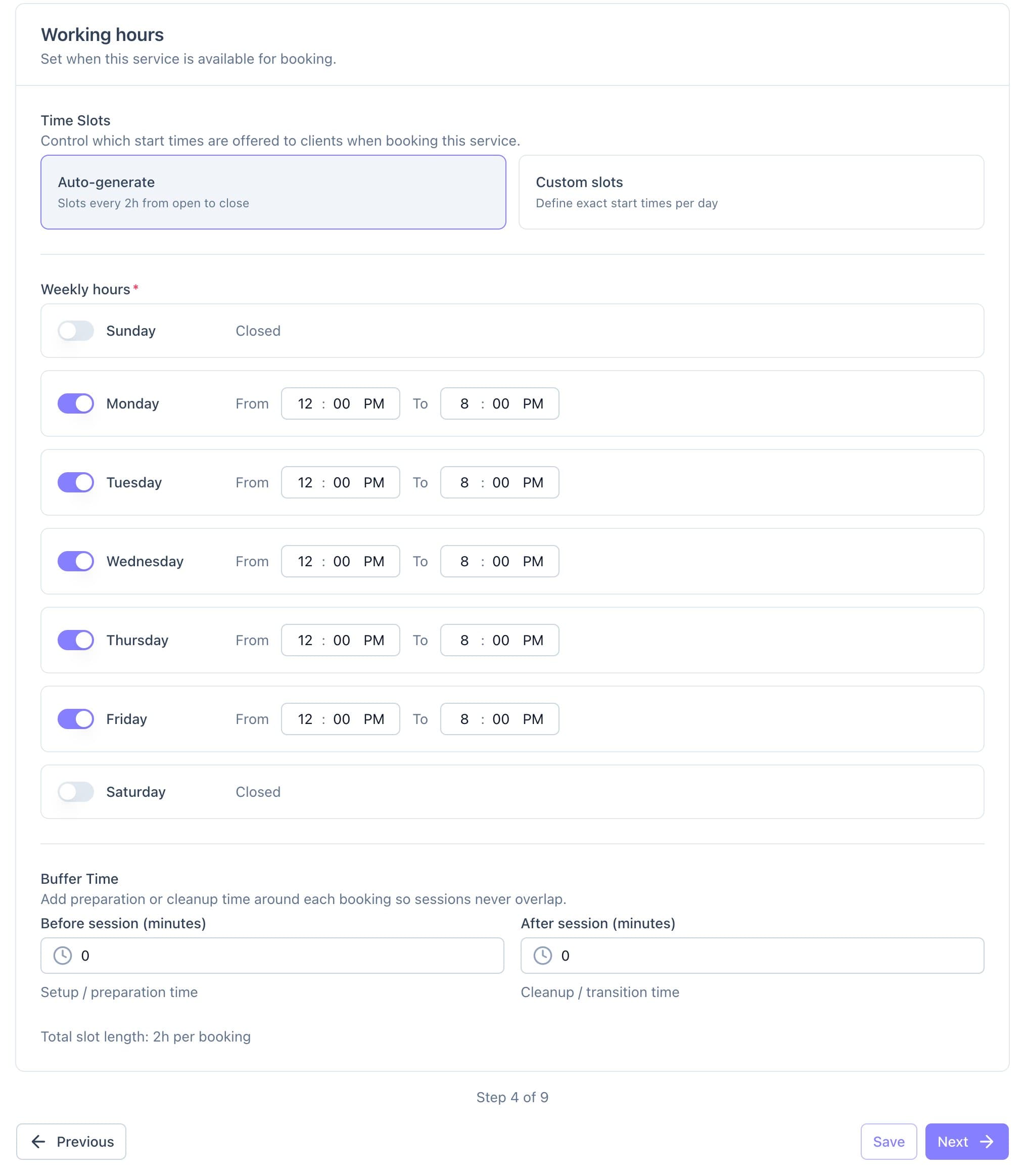
Time slots generated from the service's weekly hours. - Add policies, instructions, FAQs and photos, then click Save Service.
Good to know
- Booking a session blocks its room for everyone else, buffers included.
- Add-ons attach to rooms, not services.