Booking instructions and FAQs
1:17 video · For owners
Why it matters
Booking instructions go out automatically to every confirmed client, so you stop answering the same questions by text.
Step by step
- Open the room's Edit page and go to Instructions.
- Write what clients need: the entrance, parking, the door code and what to bring.
- Add attachments such as an entrance photo, a floor plan or a map link.
- Under When do clients see this?, choose A set time before the session starts to hold back a door code, for example 1 day before.
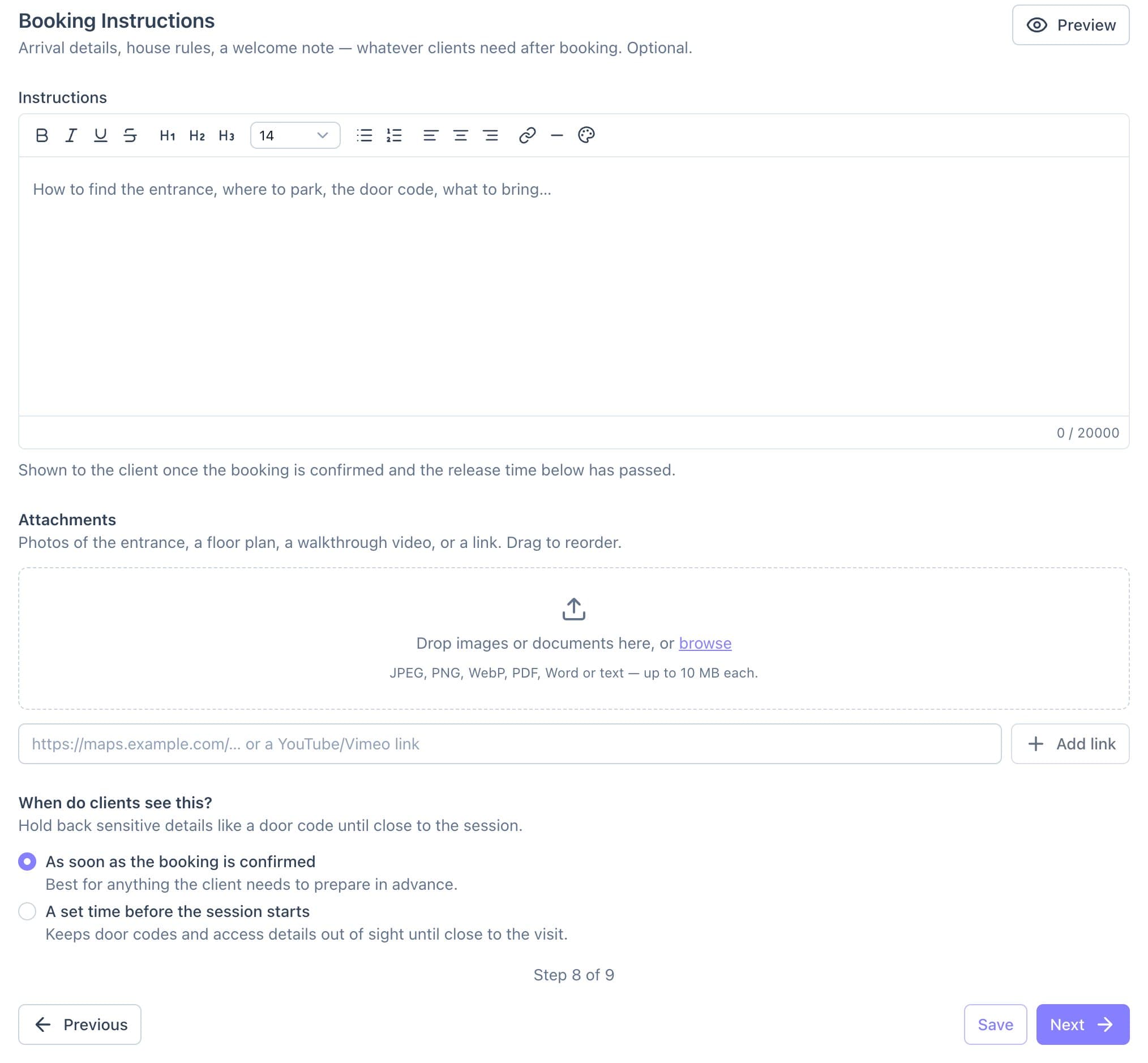
The Instructions step, with the release-time choice at the bottom. - Click Preview to check it, then go to FAQs and add questions and answers.
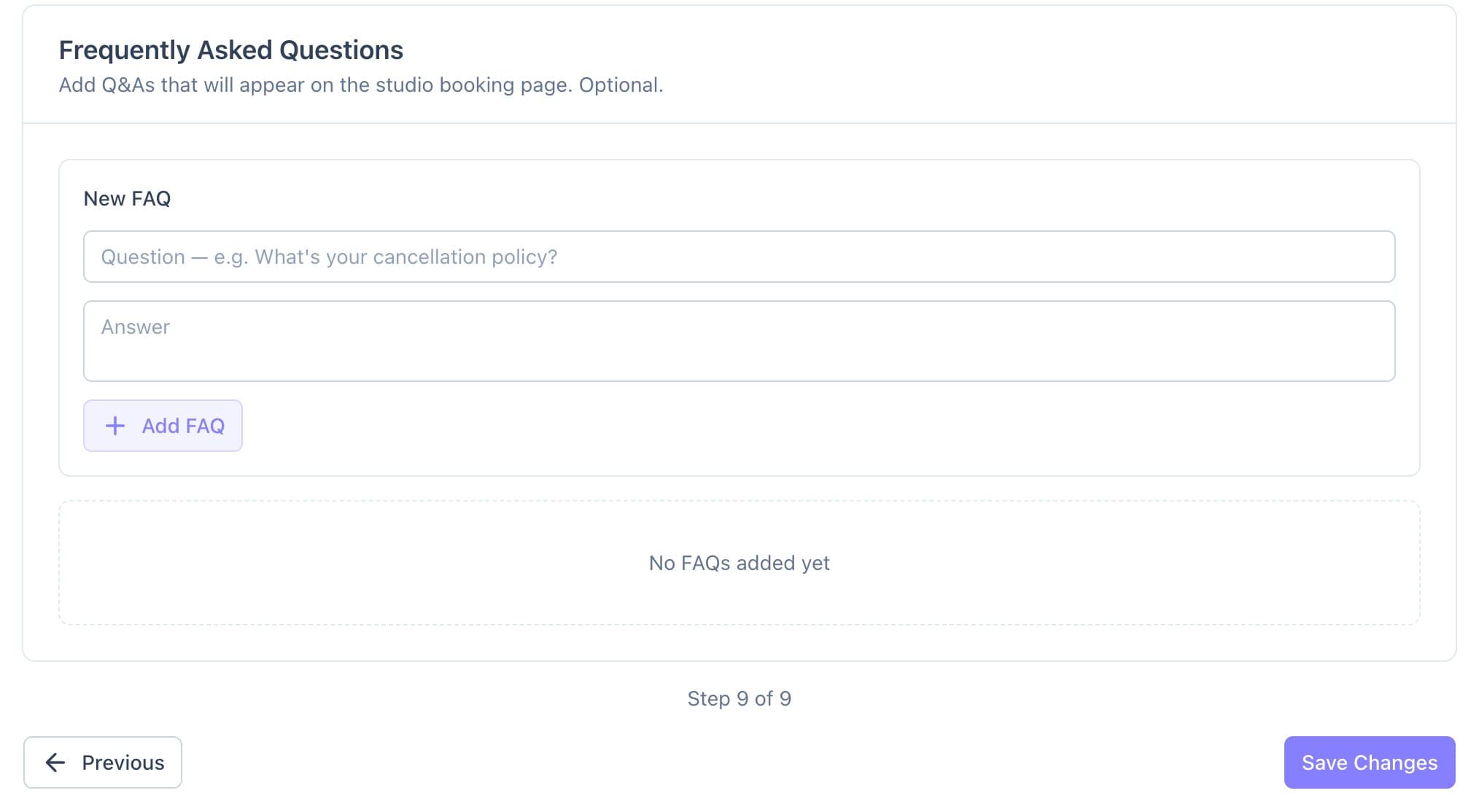
Adding FAQs for the booking page. - Click Save.
Good to know
- Clients get a notification and an email when the instructions are released.
- Pending, cancelled and declined bookings never see them.