Set your refund policy
1:18 video · For owners
Why it matters
A clear refund policy protects your income and lets clients cancel without messaging you. New rooms start with no policy, so clients can't cancel for a refund on their own until you add one.
Step by step
- Open the room's Edit page and go to Refund Policy.
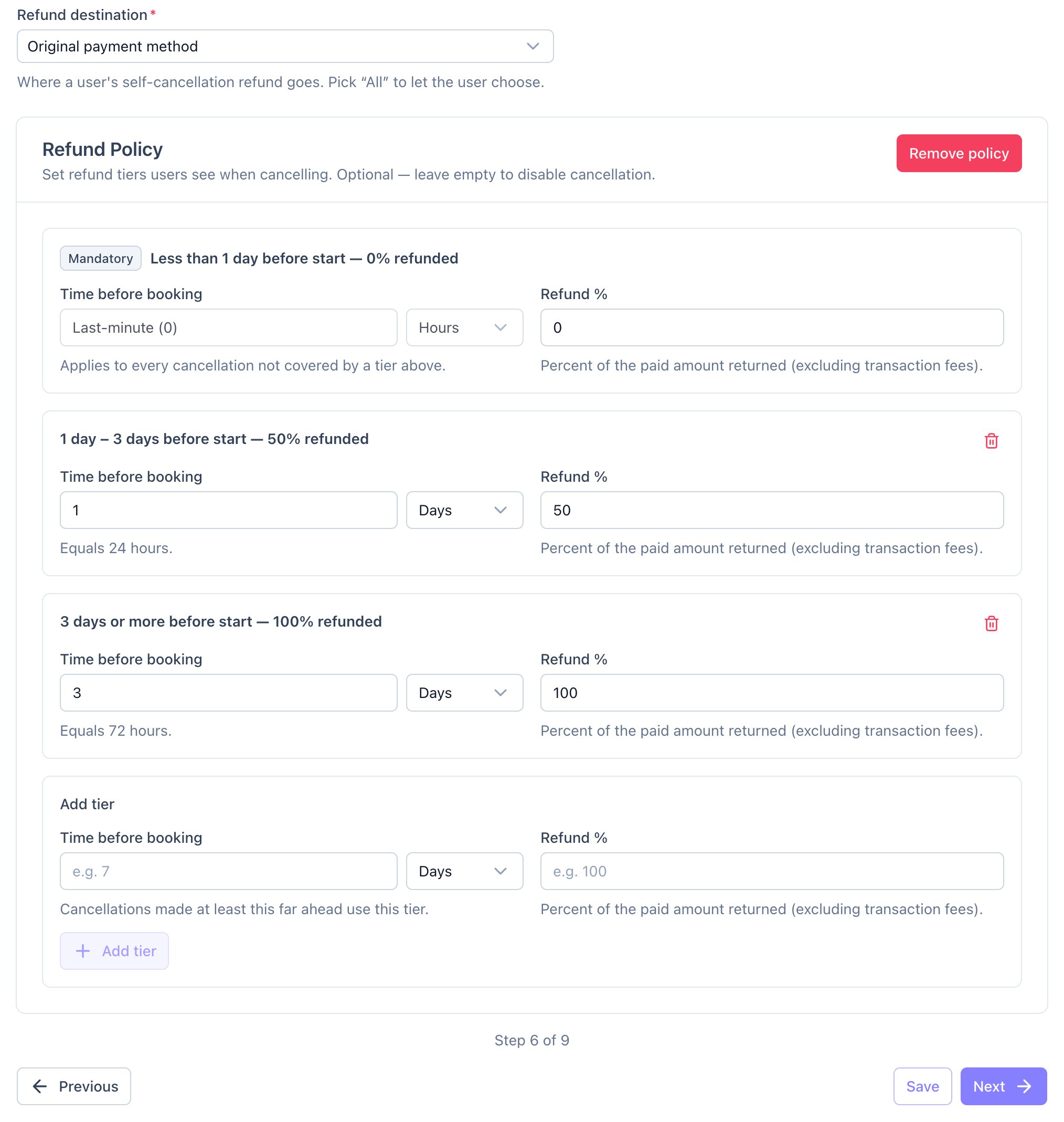
- Choose a Refund destination: Original payment method, Account credits, or All to let the client choose.
- Click Enable cancellation policy. Calende adds a last-minute tier at 0%.
- Add your tiers, for example 7 days or more before the booking: 100%, and 2 days or more before: 50%.
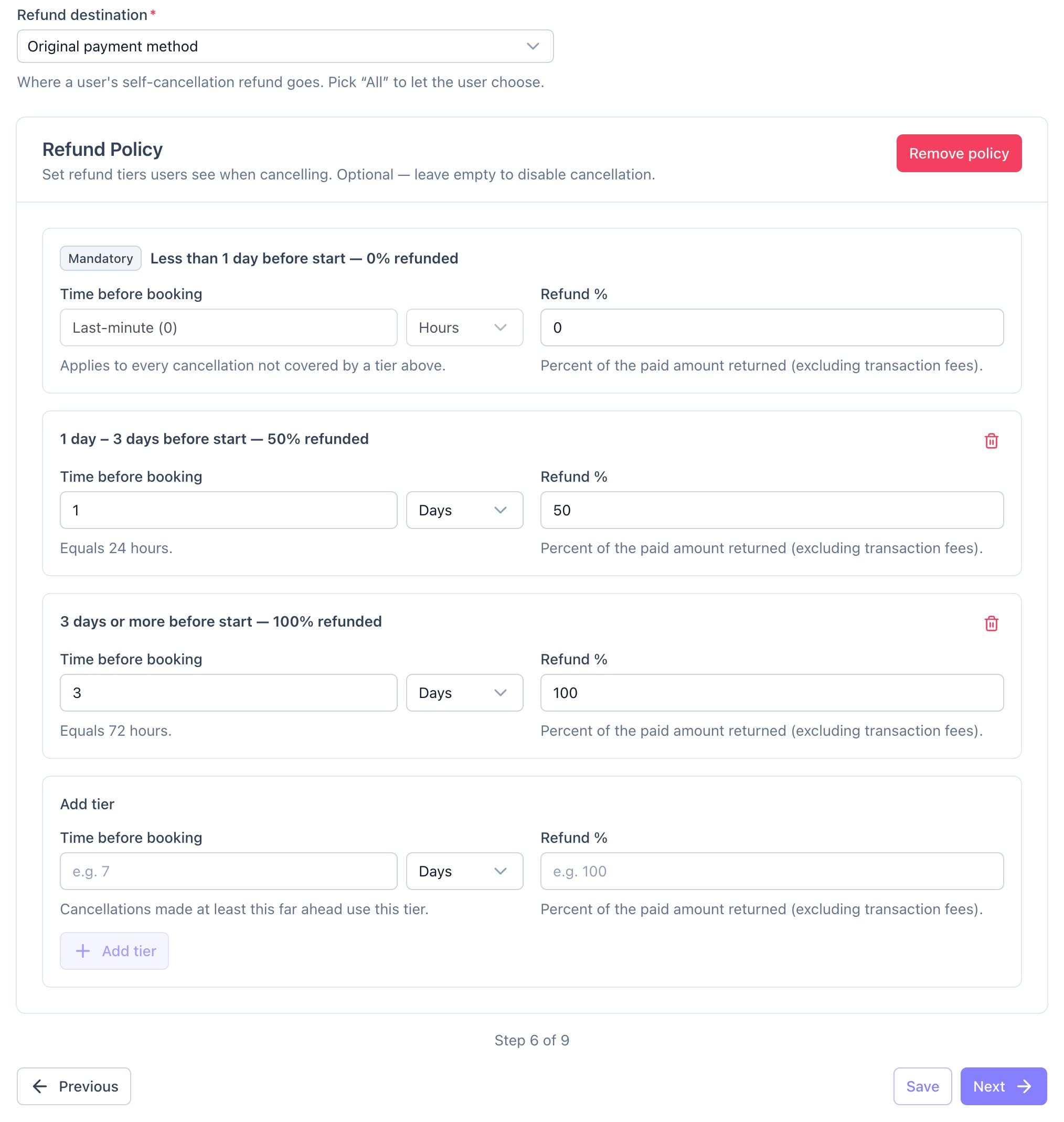
A refund policy with a last-minute tier and two refund tiers. - Click Save.
Good to know
- Refunds exclude transaction fees.
- You can still cancel any booking yourself and choose the refund.