Cancel a booking and refund
0:49 video · For owners
Why it matters
Calende suggests a refund from your cancellation policy, so every client is treated the same way.
Step by step
- On Bookings, find the booking in the date list and click Cancel.
- Check the suggested Refund amount. It follows your cancellation policy, and you can change it up to what was paid.
- Under Refund to, choose Original payment method or Account credits.
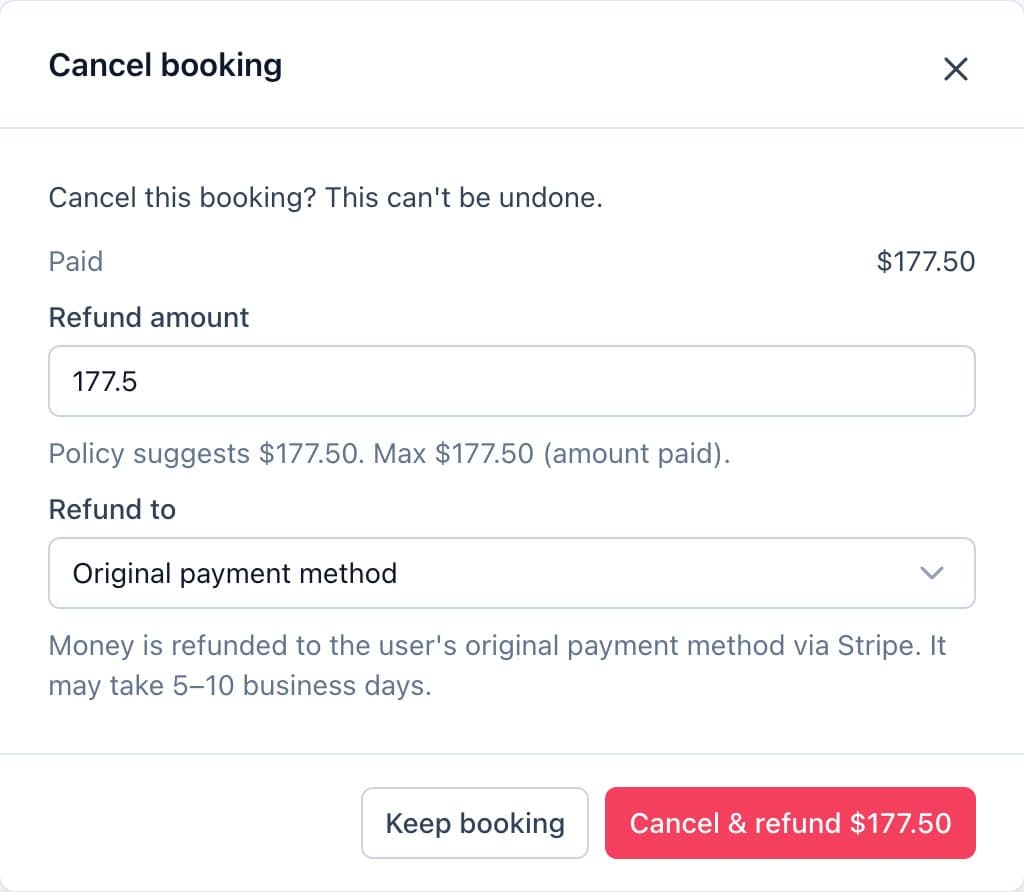
Cancelling a booking, with the refund suggested by the policy. - Confirm. The client is notified and the Google Calendar event is removed.
Good to know
- Card refunds take 5 to 10 business days. Account credits are instant.
- Transaction fees aren't refunded and are already taken off the suggestion.