Read your dashboard
0:59 video · For owners
Why it matters
The dashboard shows money in, bookings, clients, average booking value and what's still owed, each compared with the period before.
Step by step
- Click Dashboard and pick a time window, such as Month to Date or Next 7 Days.
- Read the five cards: Total Revenue, Total Bookings, Total Clients, Avg Booking Value and Outstanding Balance.
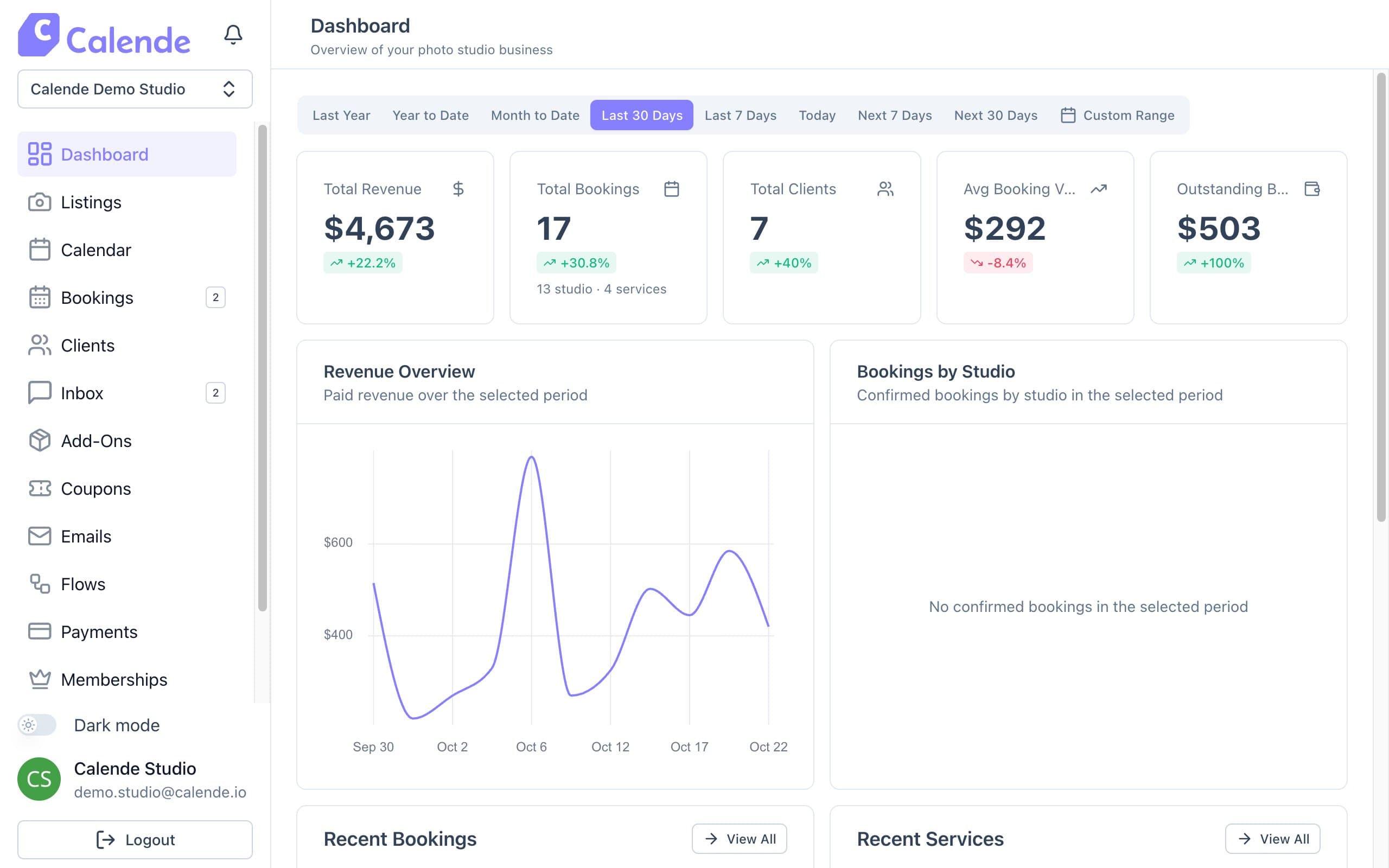
The Dashboard over the last 30 days. - Check Revenue Overview and Bookings by Studio below.
- Expand a row in Recent Bookings for details, or click Edit.
Good to know
- Every window is based on the session date, not the day it was booked.
- Outstanding Balance counts bookings with a deposit paid and the rest still due.