Use the calendar and close days
1:06 video · For owners
Why it matters
The calendar puts every room, service and Google event in one view, so you can spot open time and block days off in a click.
Step by step
- Click Calendar and switch between month, week and day.
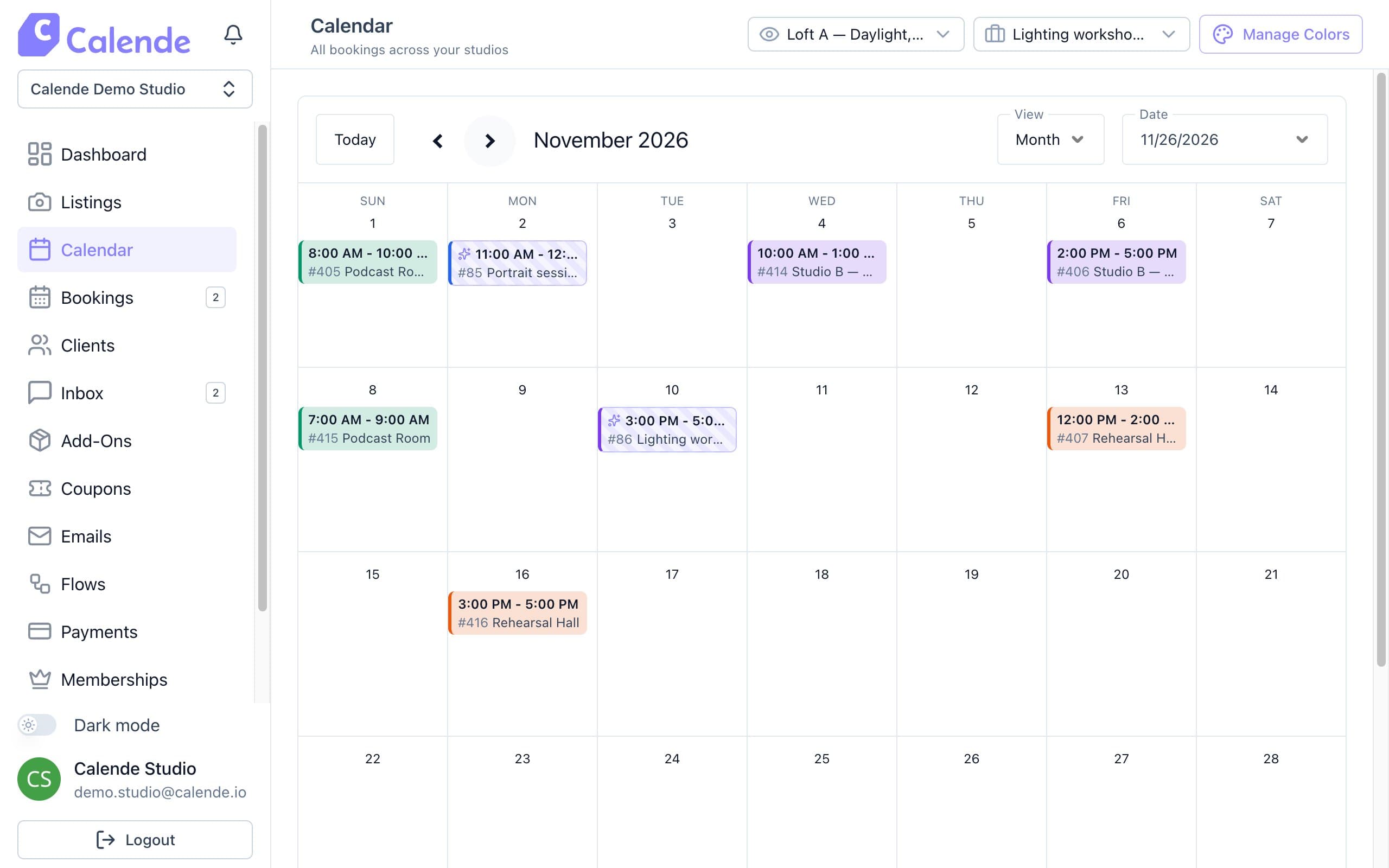
Month view, colour-coded by room. - Use the room and service filters to focus on what you need.
- Click Manage Colors to give each room its own colour, then Save All.
- Click a booking to see its details, or Edit Booking.
- To close a room, click the date, choose the rooms and click Mark as unavailable.
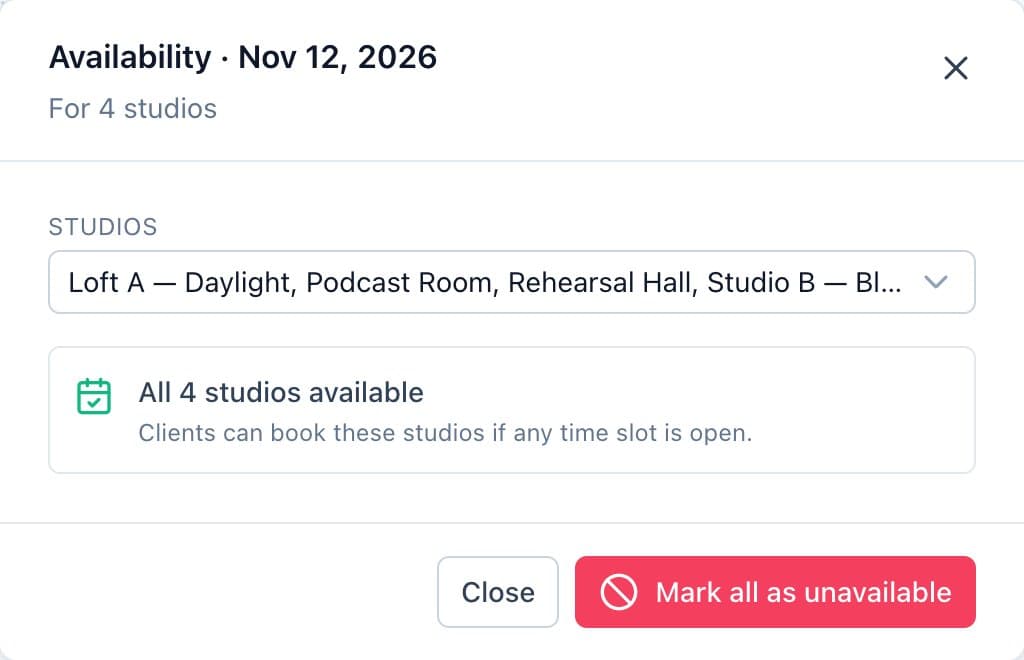
Clicking a date opens Availability, where you close rooms for the day.
Good to know
- Closing a day doesn't cancel bookings already made.
- Events from a connected Google Calendar appear too, and they block those hours.