Tour your booking site
0:53 video · For owners
Why it matters
Looking at your studio through a client's eyes shows you what to improve before they notice.
Step by step
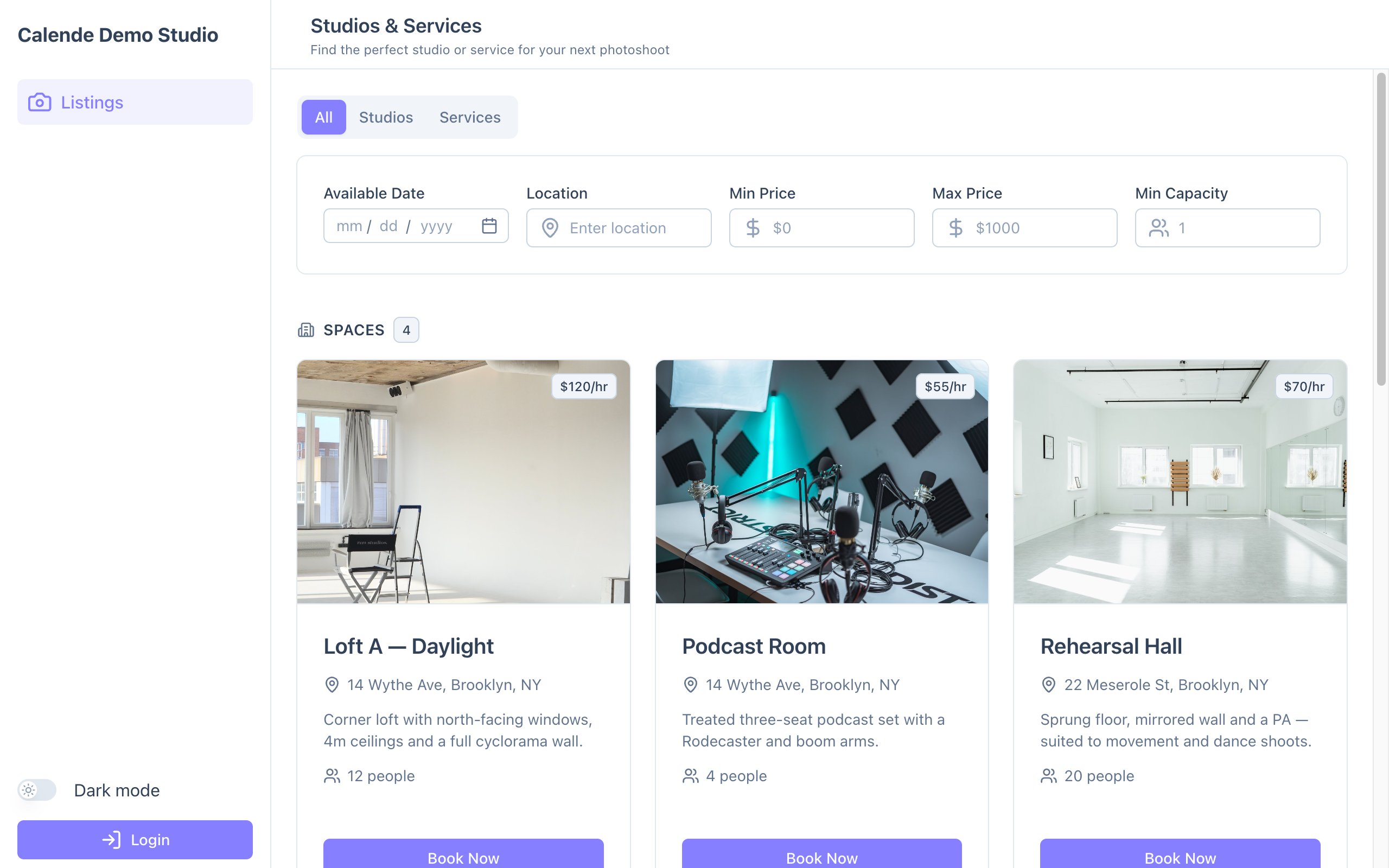
- Open your booking site signed out. The home page lists every room and service.
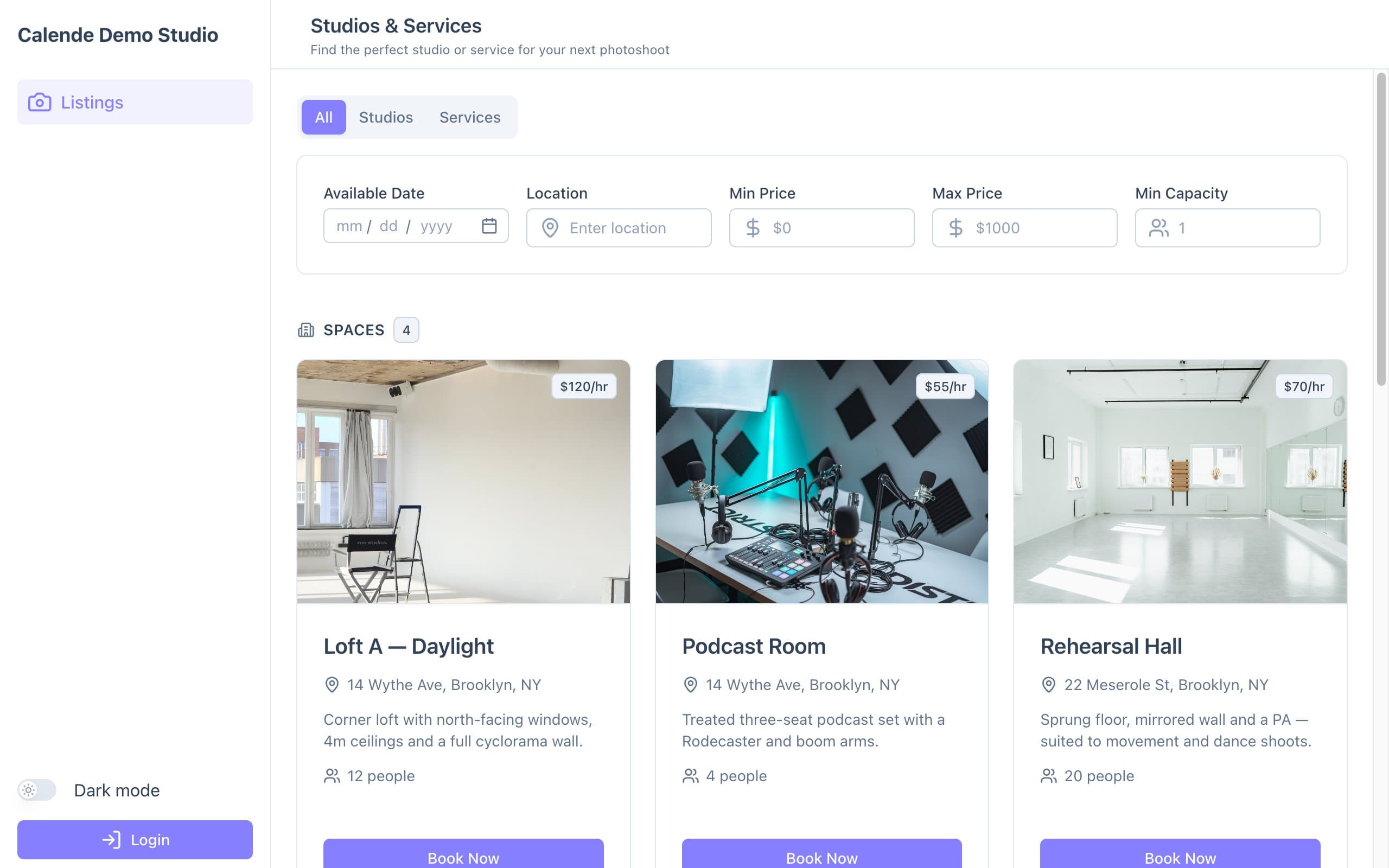
The booking site's home page, with filters. - Try the filters: date, location, price and capacity.
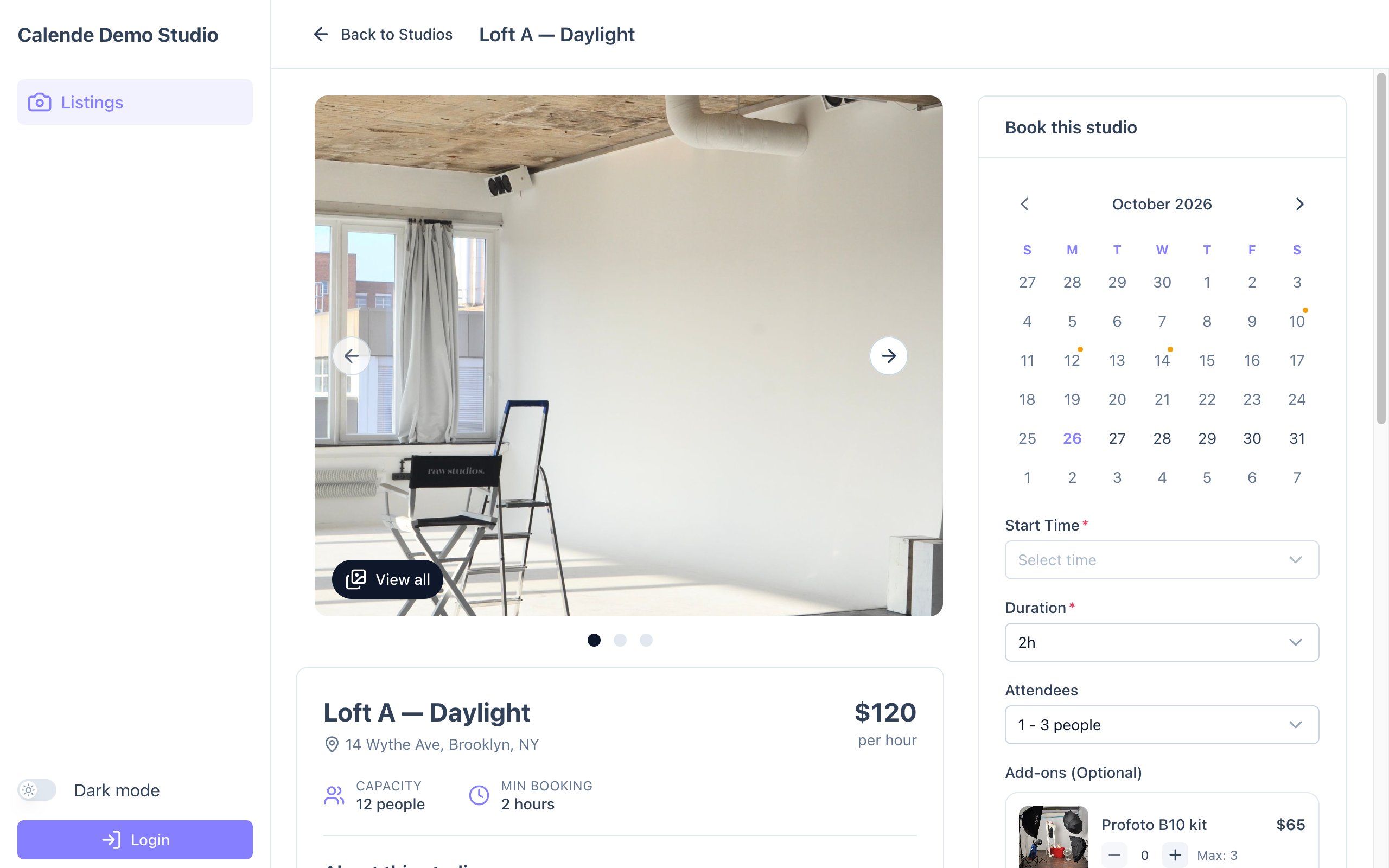
- Open a room to see its photos, details, amenities, opening hours, policies and FAQs.
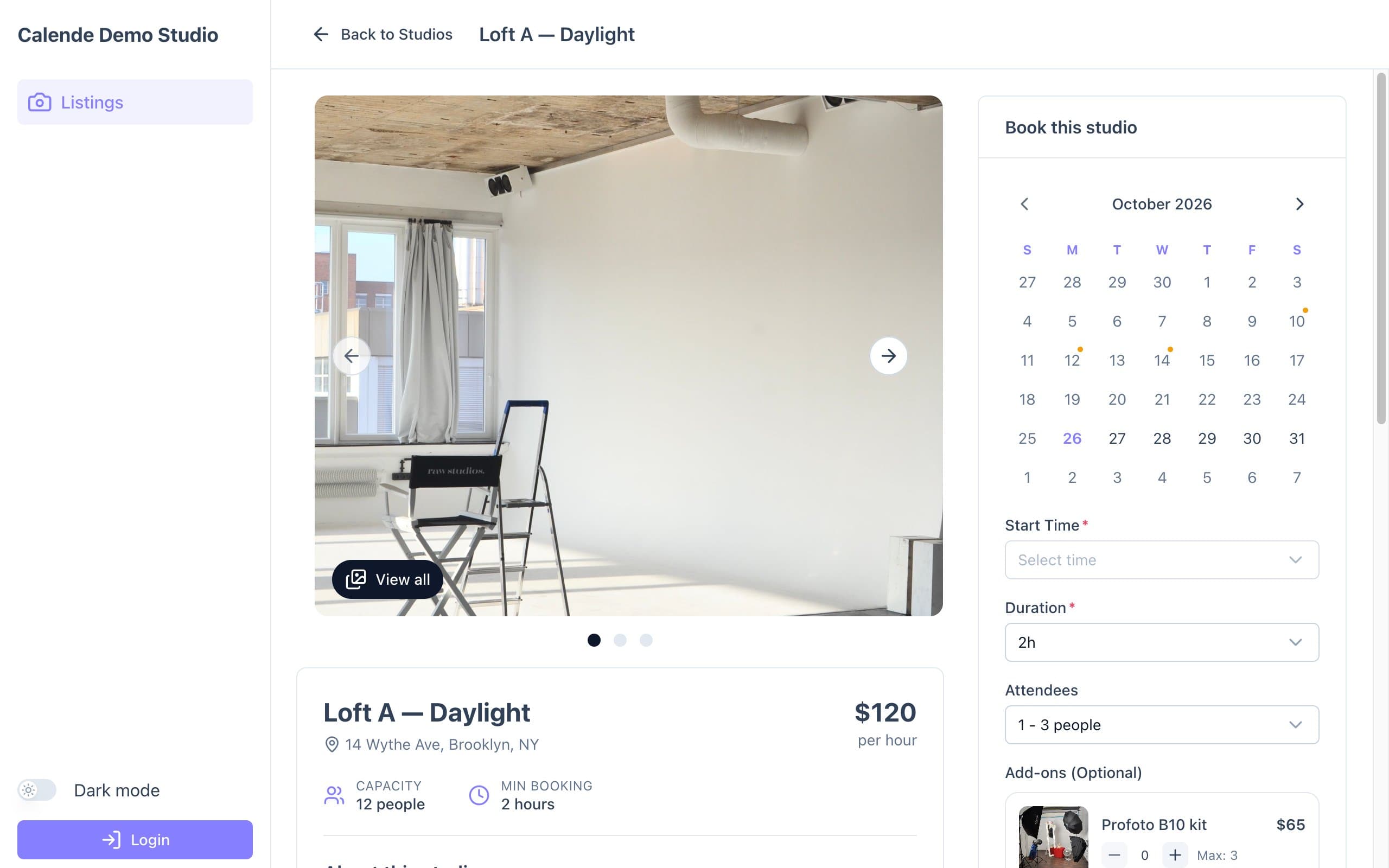
A room page, with the booking panel on the right. 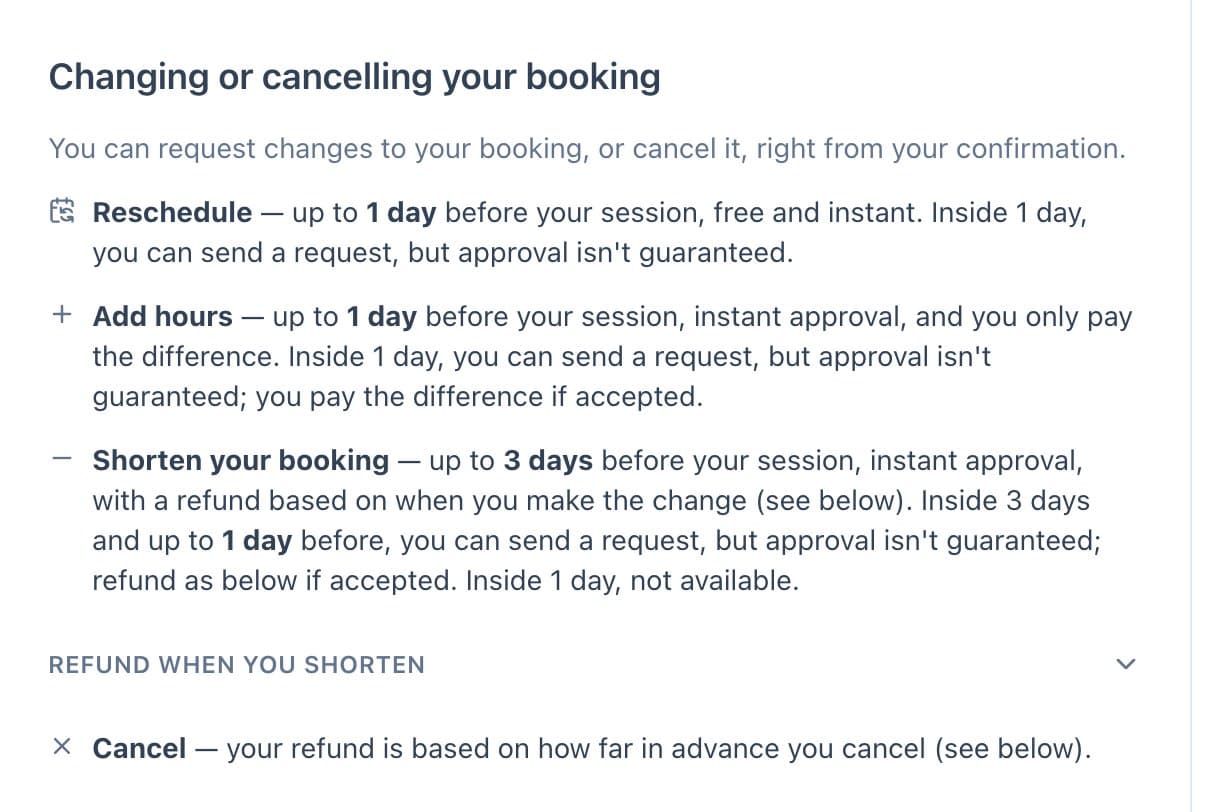
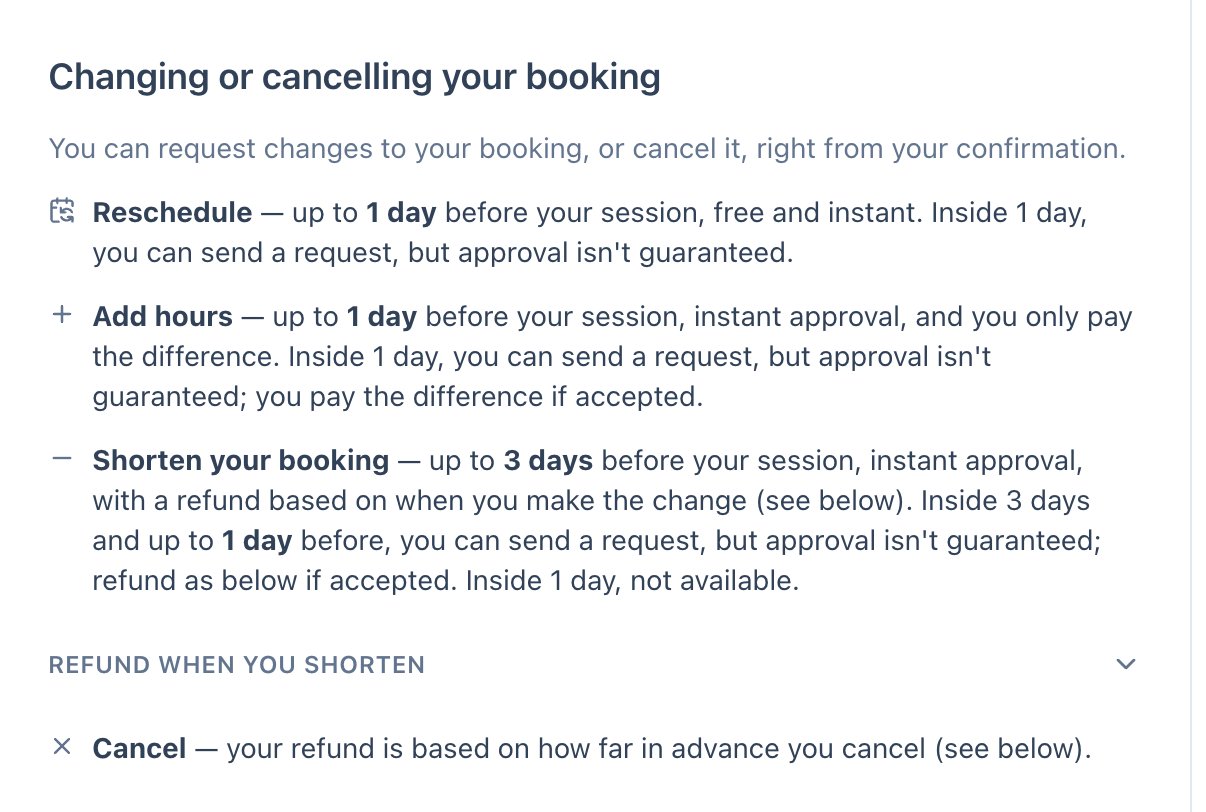
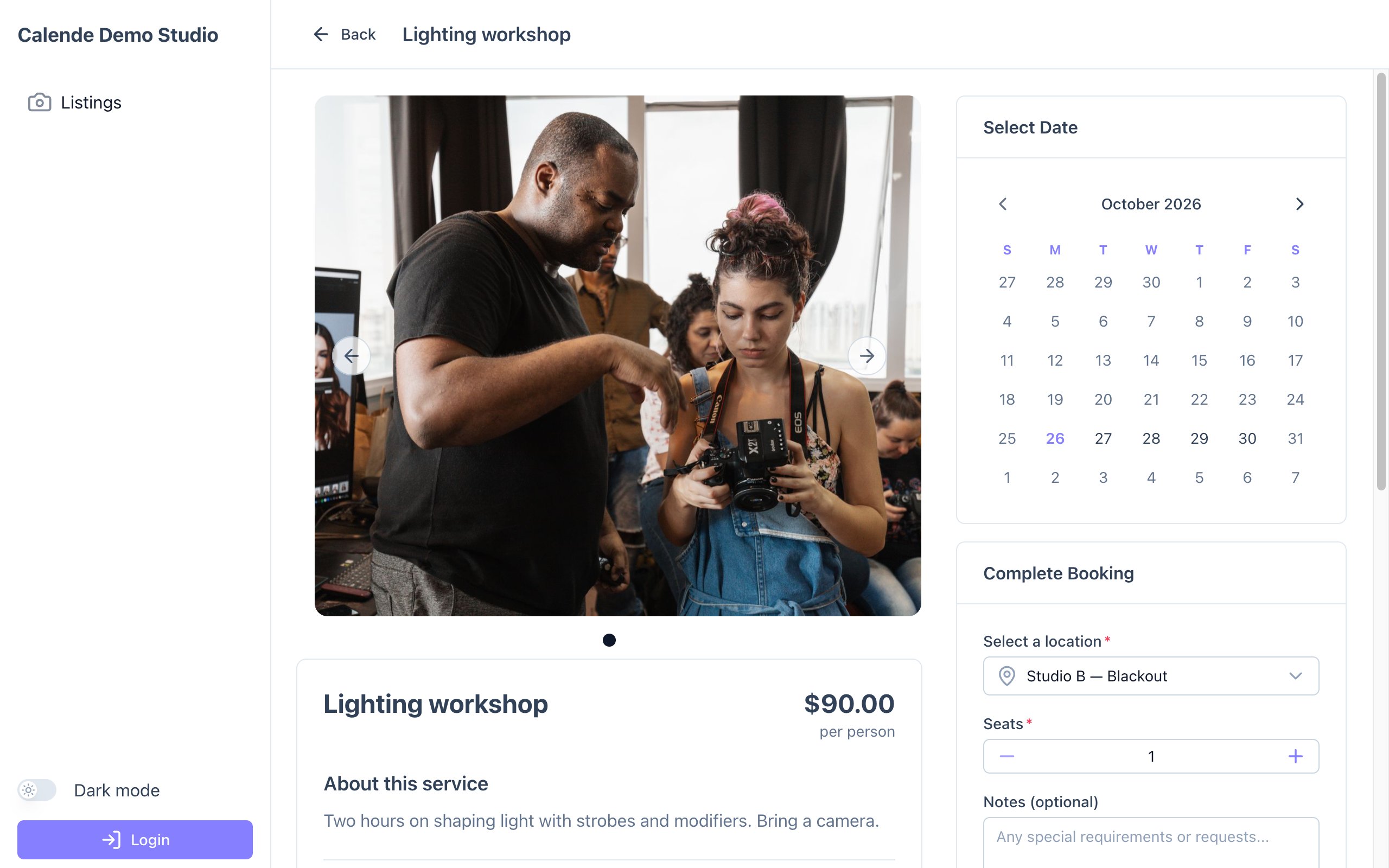
Your change and cancellation rules, written out for clients. - Open a service to see its dates, session times and seats left.
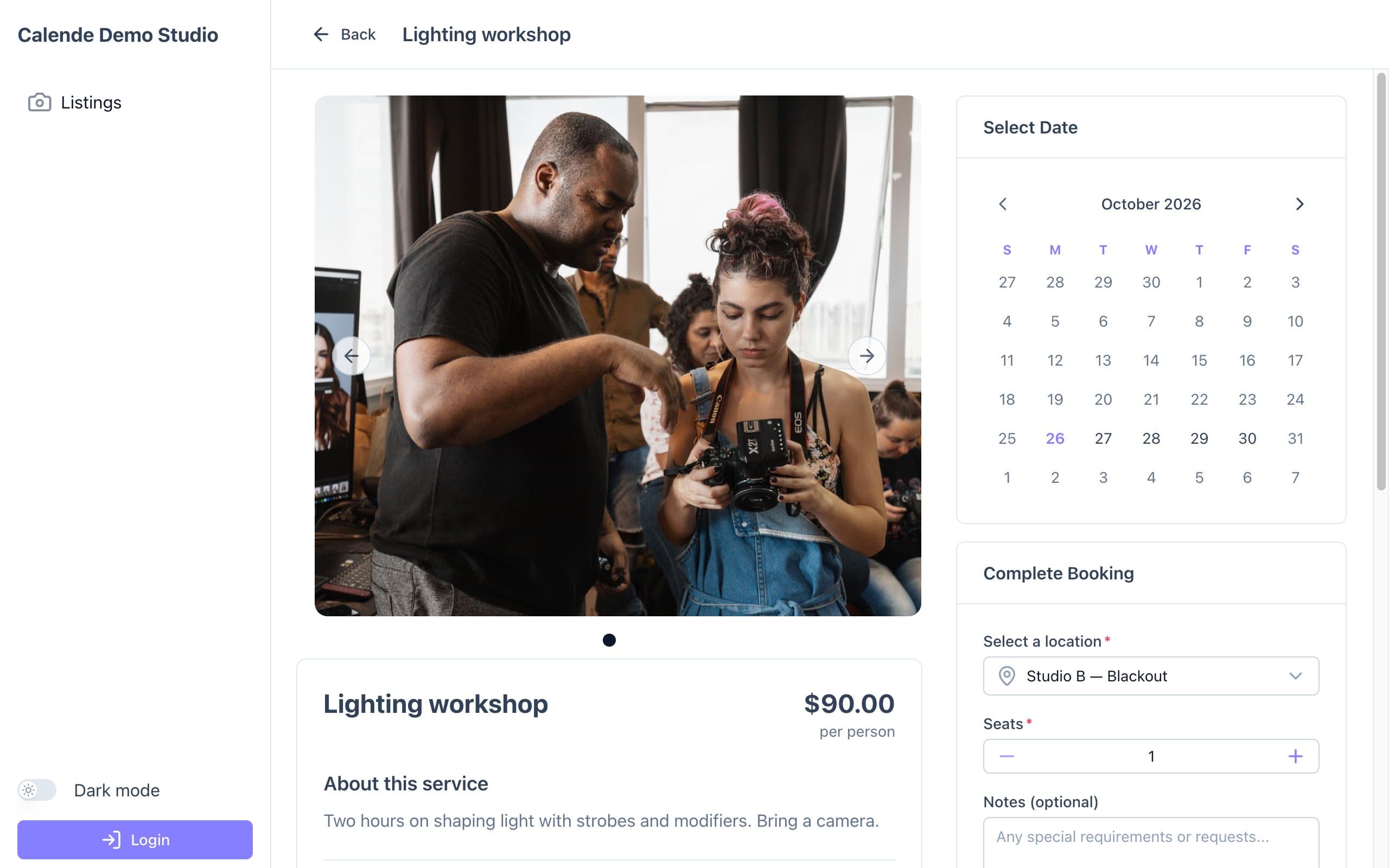
A service page, with dates and session details.
Good to know
- If something would confuse a client, fix it in Listings.