What your clients see: booking and paying
1:04 video · Your clients' side
Why it matters
When a client asks how to book, this is the answer. Most clients book on their phone.
Step by step
- The client picks a room, a day, a start time and how long, plus any add-ons or a coupon.
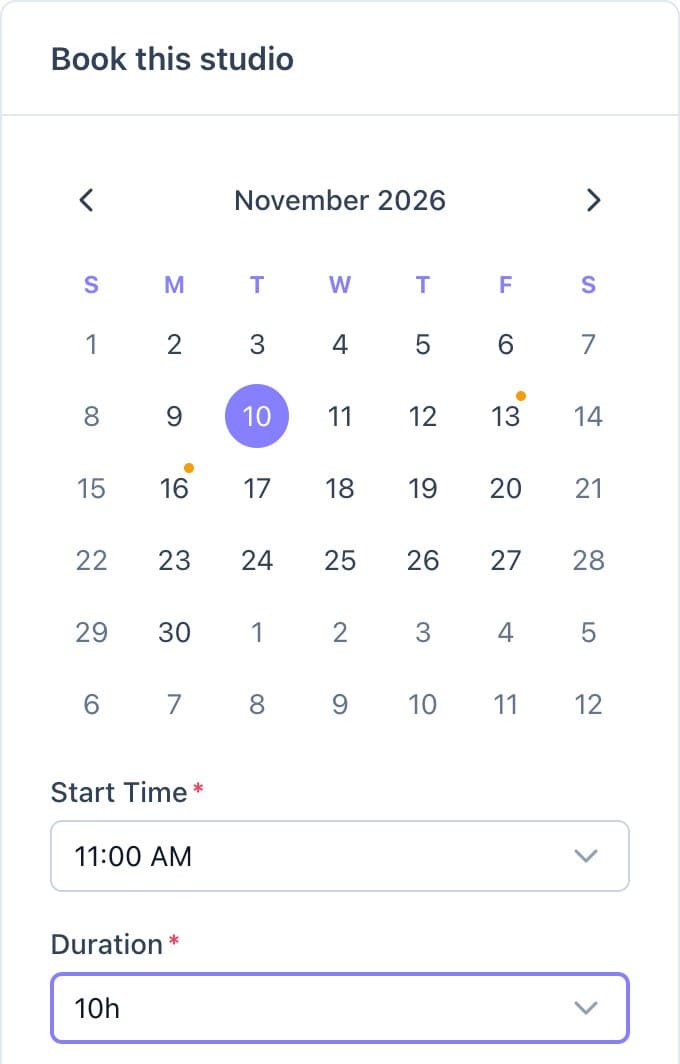
Clients choose a day, a start time and a duration. - To book, they need an account on your site. Returning clients just sign in, and their choices are kept.
- New clients create one, confirm their email, and verify their phone if you require it.
- The price breakdown shows what's due now and what's due later.
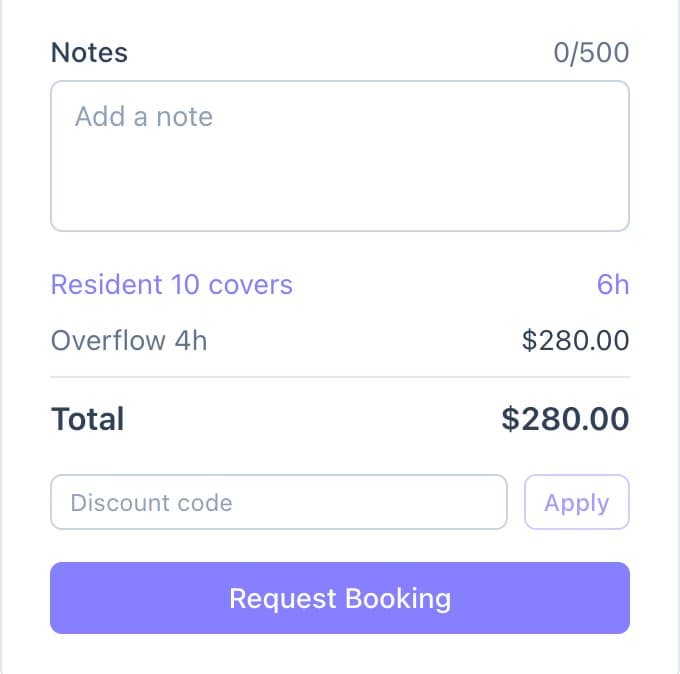
The price breakdown, coupon box and booking button. - They pay on Stripe's secure page and see a confirmation.
Good to know
- Their card is saved, so next time instant bookings are charged without a checkout page.
- On rooms that need your approval, the button sends a request instead, and the client pays after you accept.