Welcome to Calende: a tour of your studio
1:27 video · For owners
Why it matters
Calende runs your booking site, calendar, payments, clients and marketing from one admin. Knowing what each menu item does means you can find anything in seconds.
Step by step
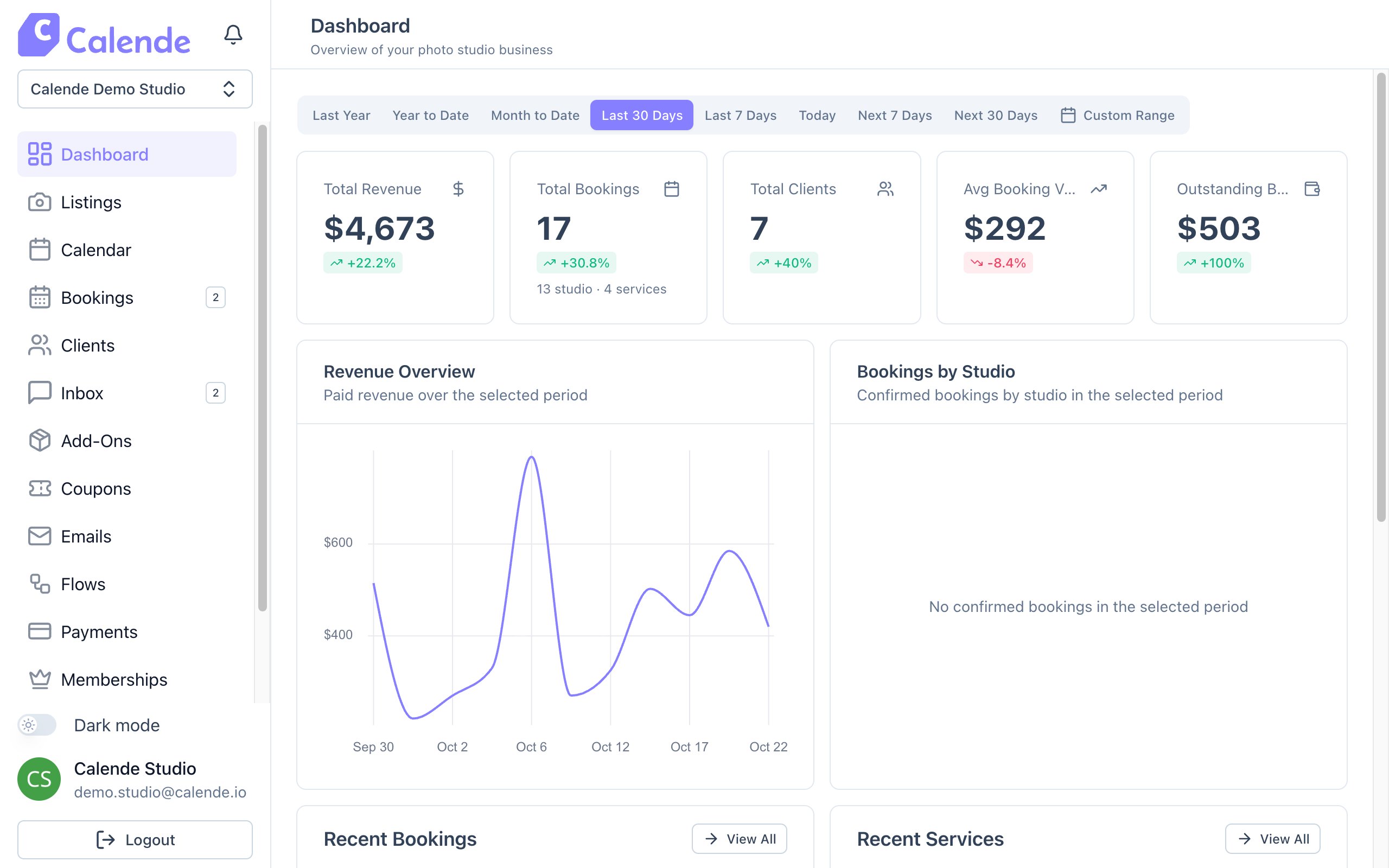
- At the top of the sidebar is your business name. If you run more than one studio brand, you switch between them there.
- Dashboard shows revenue, bookings and what's coming up.
- Listings holds your rooms, which Calende calls spaces, and your services.
- Calendar shows every booking by day, week or month. Bookings is your to-do list, with new requests at the top.
- Clients is your client list with history and notes. Inbox is where you message clients.
- Add-Ons, Coupons, Payments and Memberships are how you earn and track money.
- Emails and Flows send reminders, follow-ups and welcome sequences for you.
- Billing is your Calende plan, and Settings holds your brand, domain and sign-up rules.
Good to know
- Click View Booking Page on any listing to see your site exactly as clients do.