Create coupon codes
1:10 video · For owners
Why it matters
A quiet Tuesday, a first-time offer, a code for a partner: coupons handle all three, and Calende counts every use.
Step by step
- Click Coupons, then Create Coupon.
- Enter the Coupon Code (letters and numbers only) and choose Applicable Studios.
- Choose Percentage (%) or Fixed Amount ($) and enter the value.
- Optionally set an Expiration Date and a Usage Limit, then click Create Coupon.
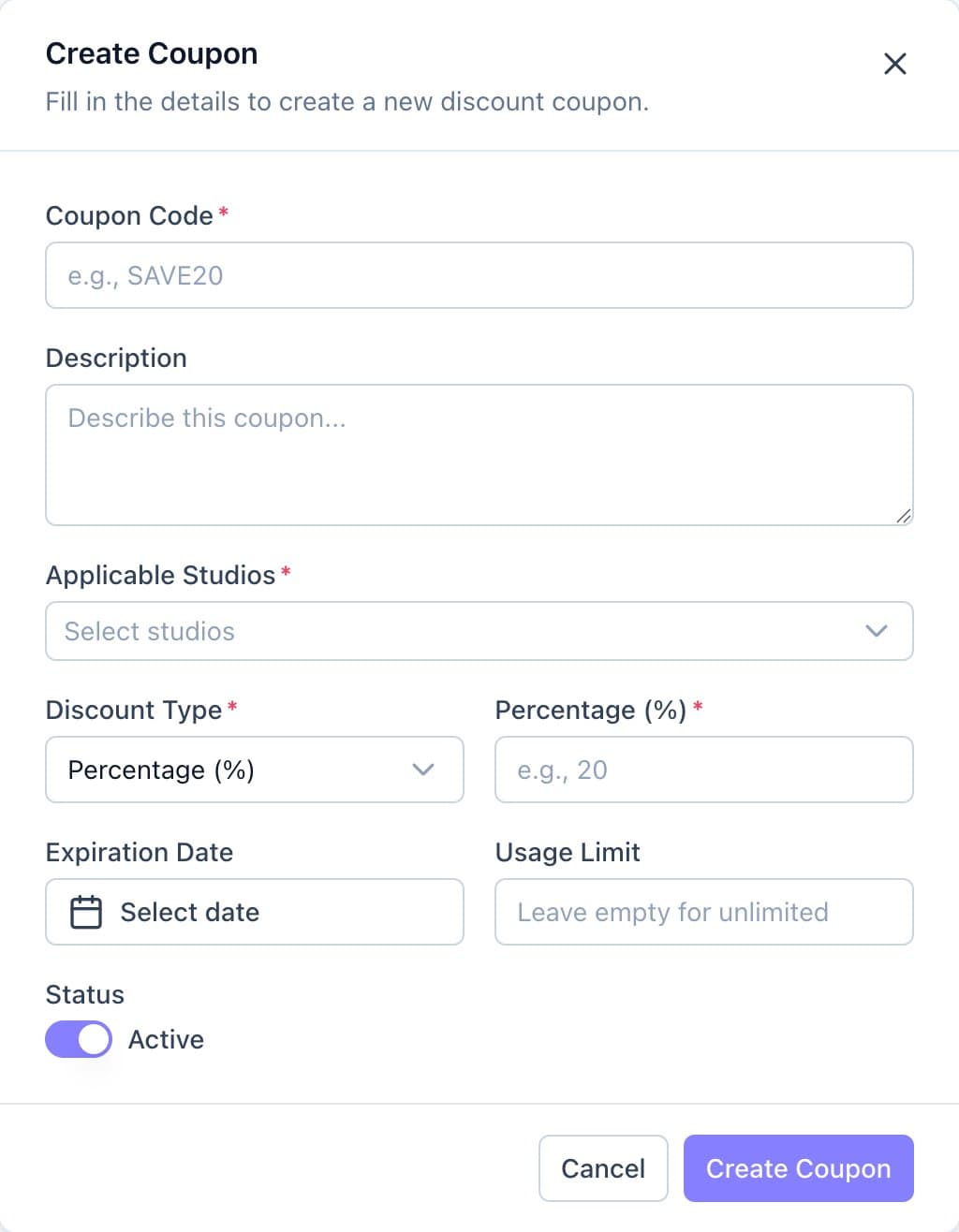
The Create Coupon form. - Copy the code with the copy icon and share it.
Good to know
- The discount can't be changed after the coupon is created. Delete it and create a new one instead.
- Clients enter the code under the price and click Apply.
- If a booking is cancelled, its use of the code is given back.