Sell add-ons at checkout
1:17 video · For owners
Why it matters
Clients already ask for extra lights, a backdrop or an assistant. Let them add extras while they book, and charge for them automatically.
Step by step
- Click Add-Ons, then Add New Add-On.
- Enter the Add-On Name, a description and an image.
- Choose a Pricing Type: Fixed Price, Per Hour Rate or Percentage of Total, and set the price.
- Set the Maximum Quantity and tick the rooms under Studio Availability.
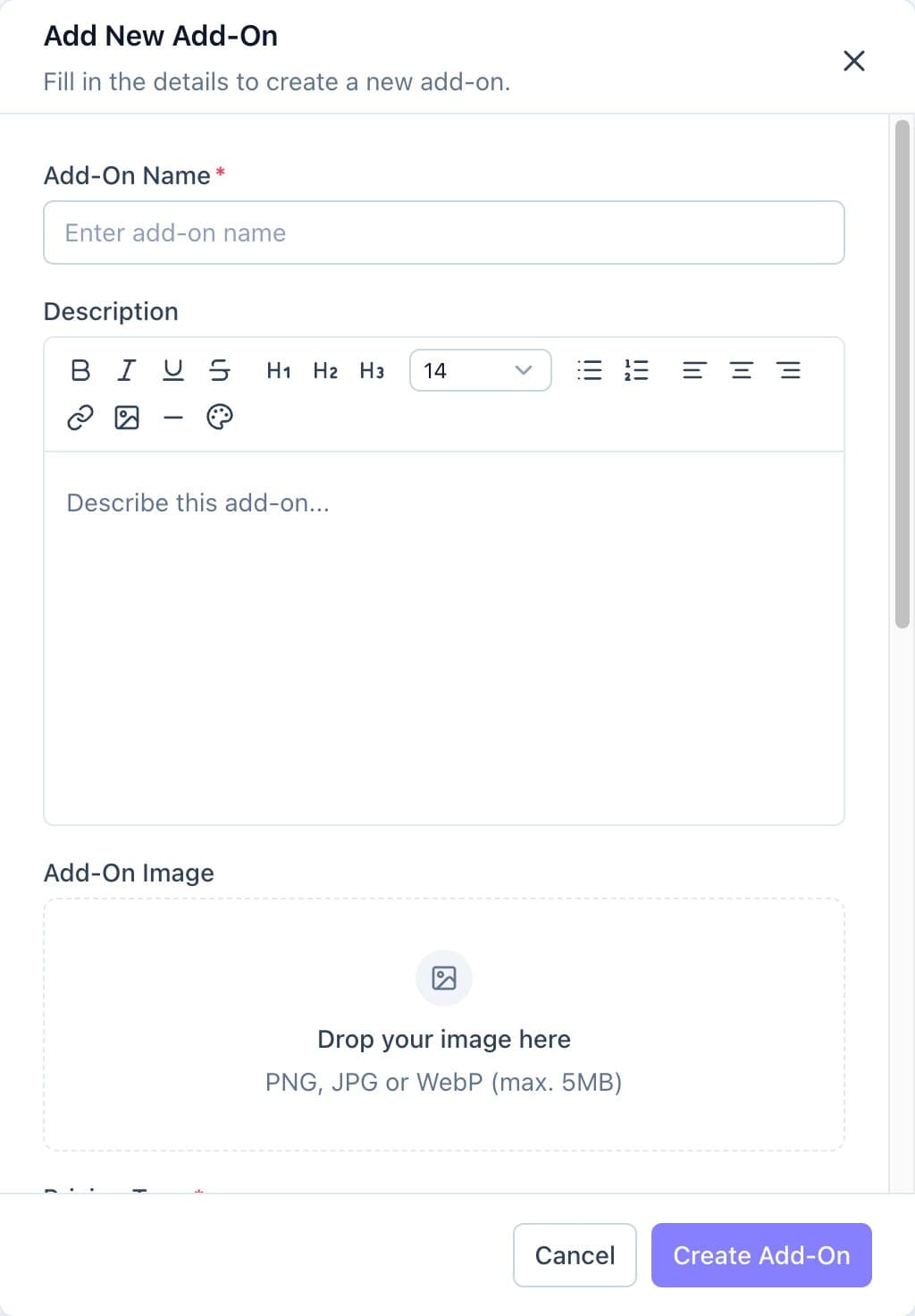
The Add New Add-On form. - Leave Status on Active and click Create Add-On.
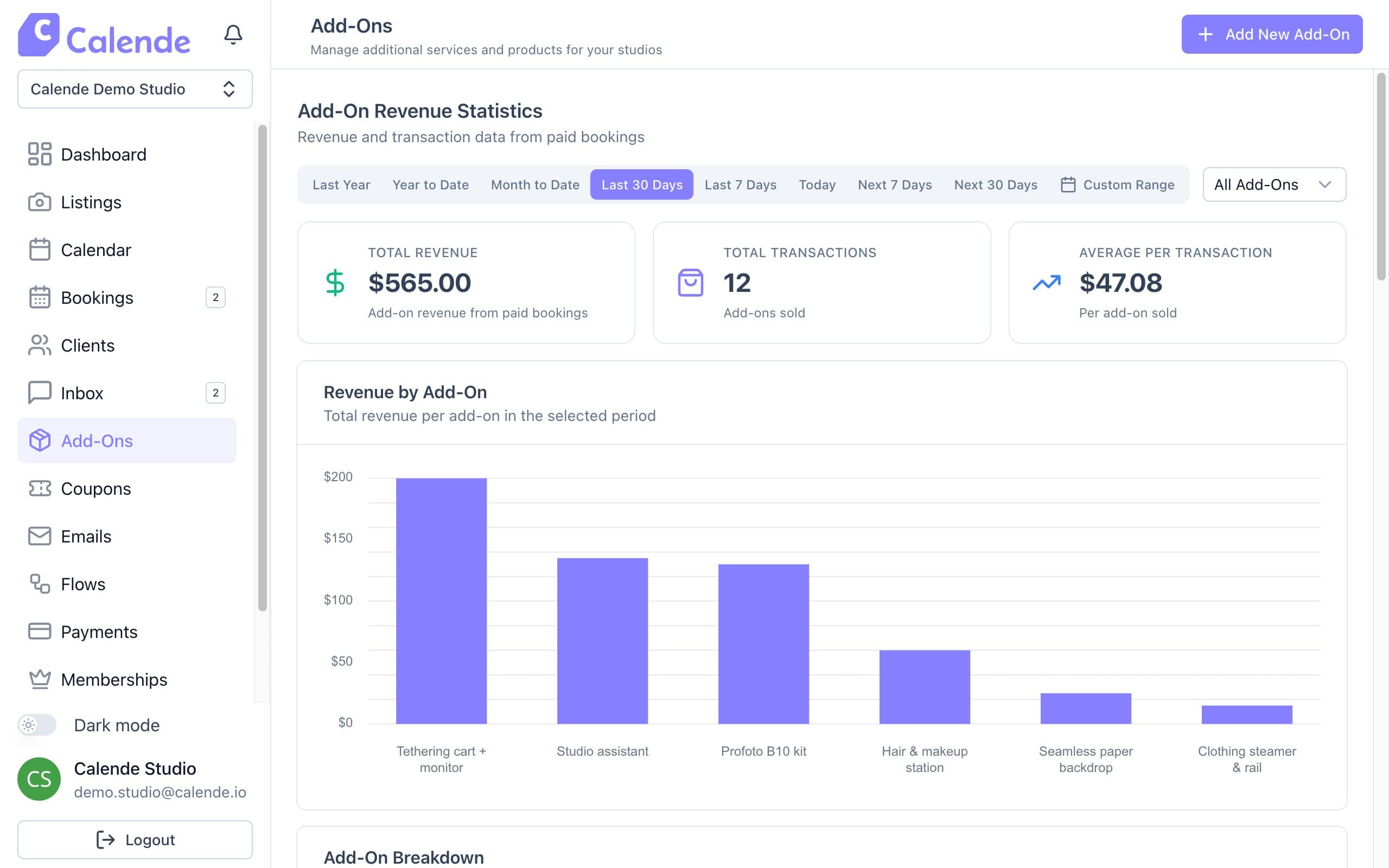
Add-On Revenue Statistics show what each extra earns.
Good to know
- For hourly add-ons, clients choose how many hours they want, so set Maximum Quantity to the most hours you'd offer.
- An add-on with no rooms ticked isn't shown to anyone.
- Add-On Revenue Statistics shows what each add-on earns.