Launch a membership
1:25 video · For owners
Why it matters
A membership is a recurring payment that comes with a bank of studio hours. Your regulars get a better rate, and you get paid up front every period.
Step by step
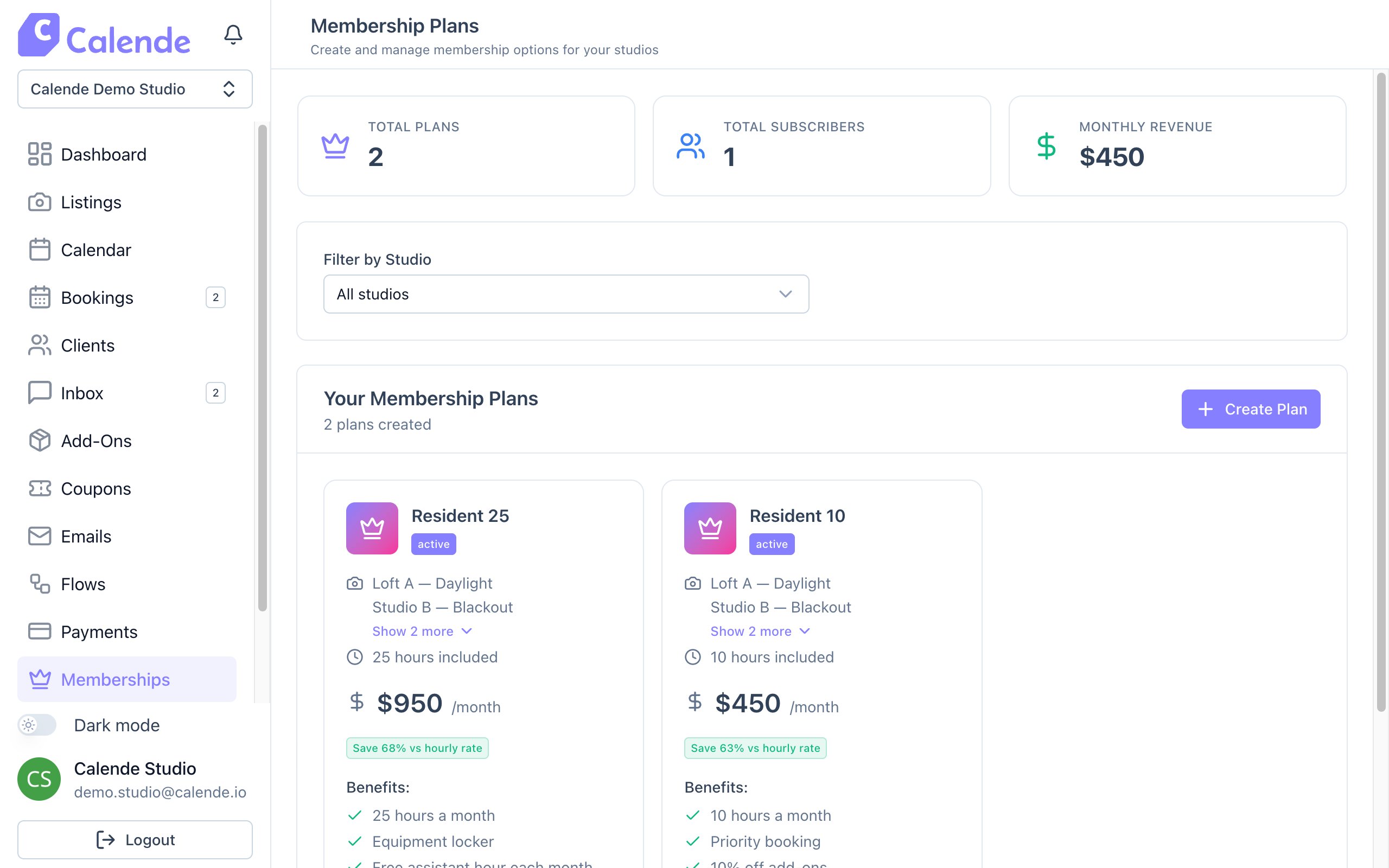
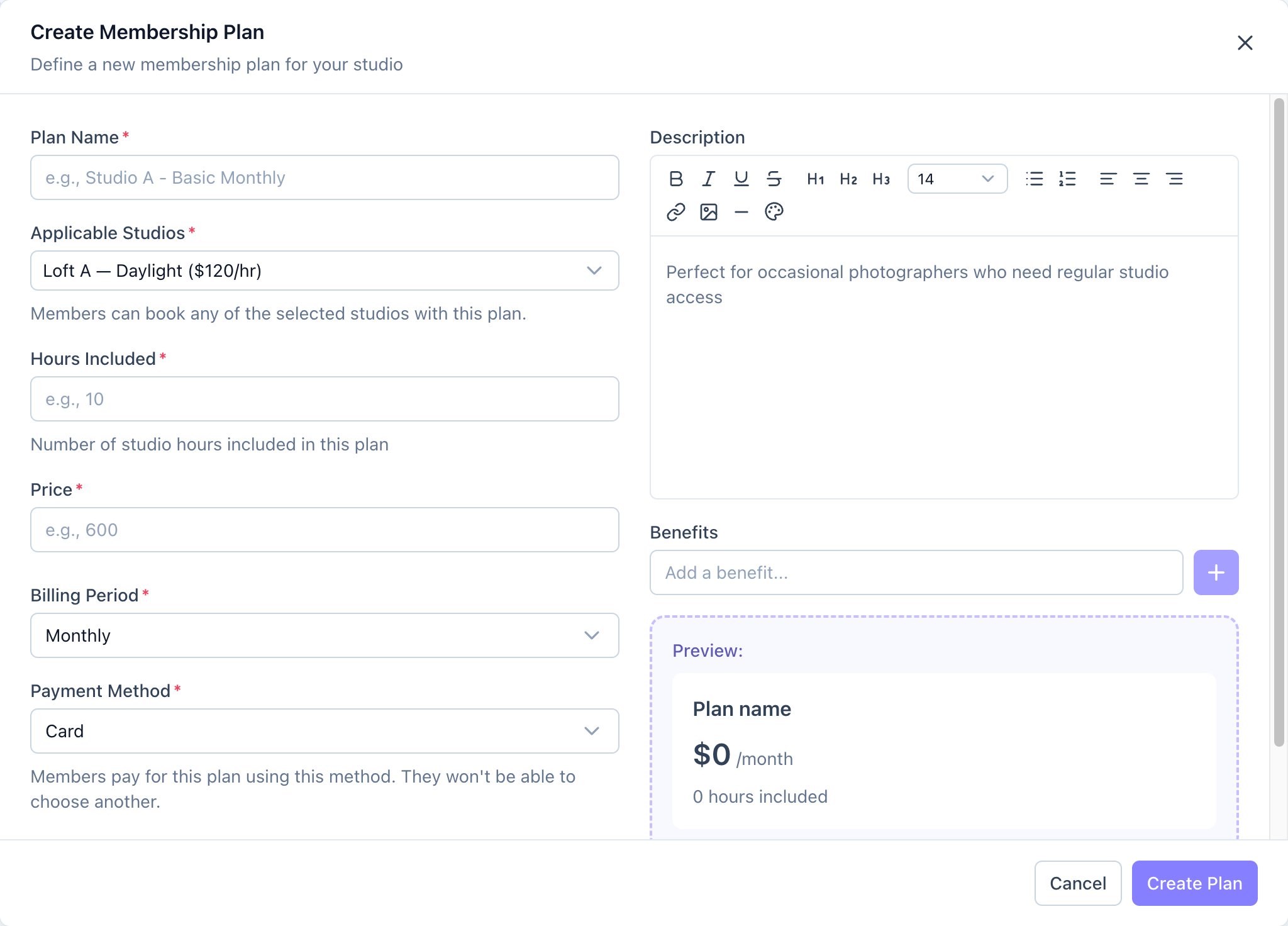
- Click Memberships, then Create Plan.
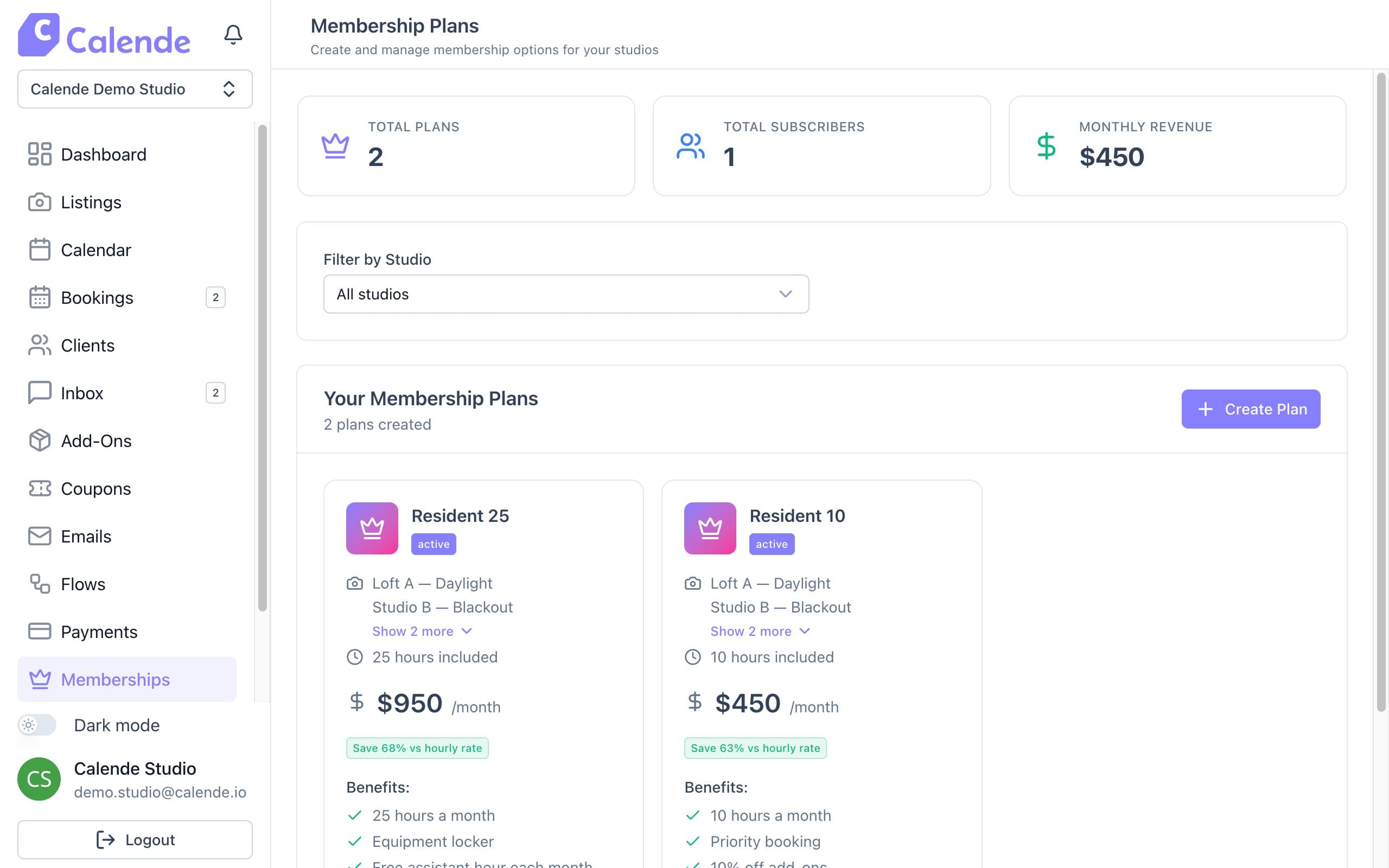
Membership Plans, with subscribers and monthly revenue. - Enter the Plan Name and choose Applicable Studios.
- Set Hours Included and Price. Calende shows the effective hourly rate.
- Choose the Billing Period and Payment Method, and add benefits.
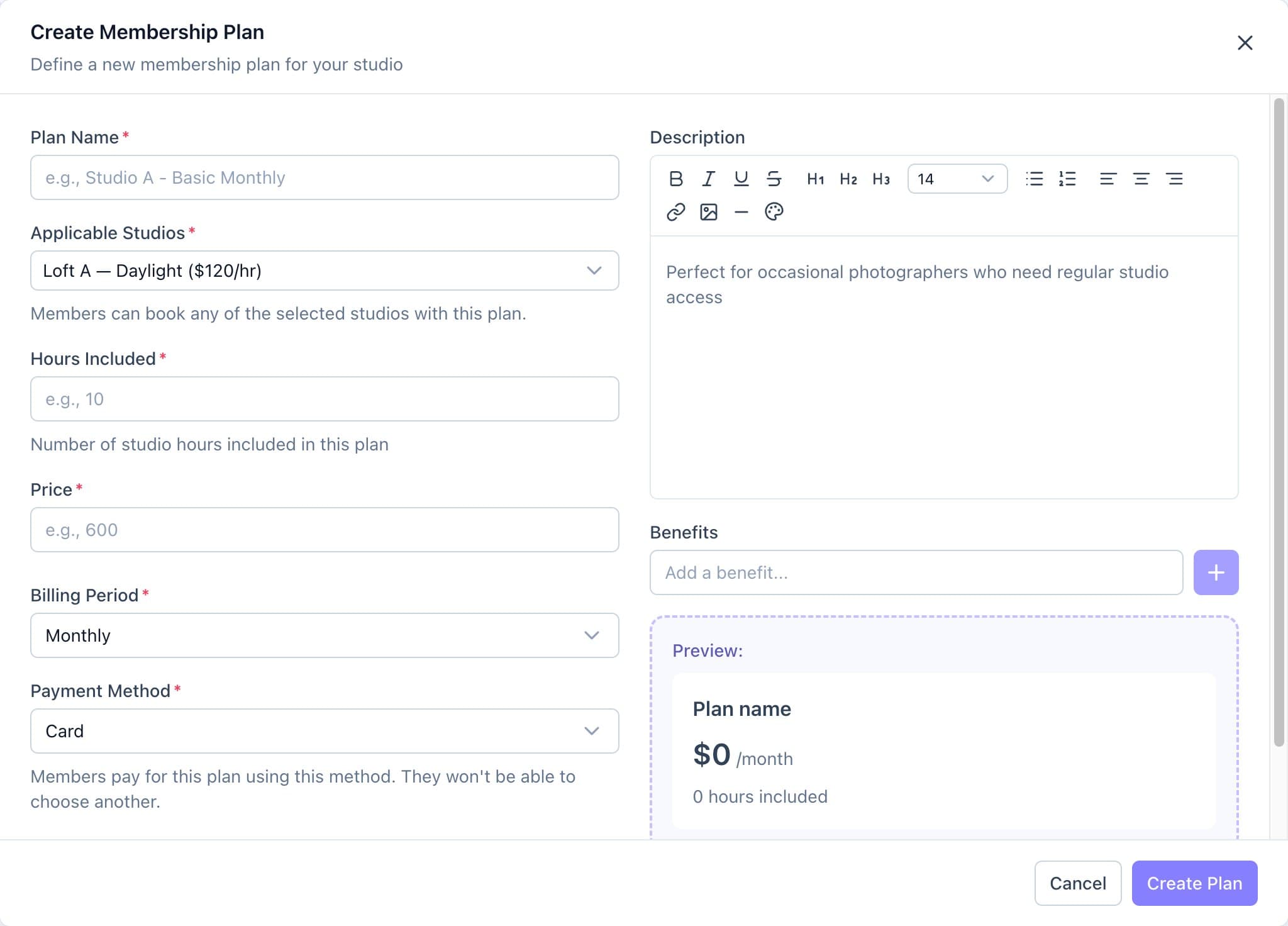
The Create Membership Plan form, with a live preview. - Check the preview and click Create Plan.
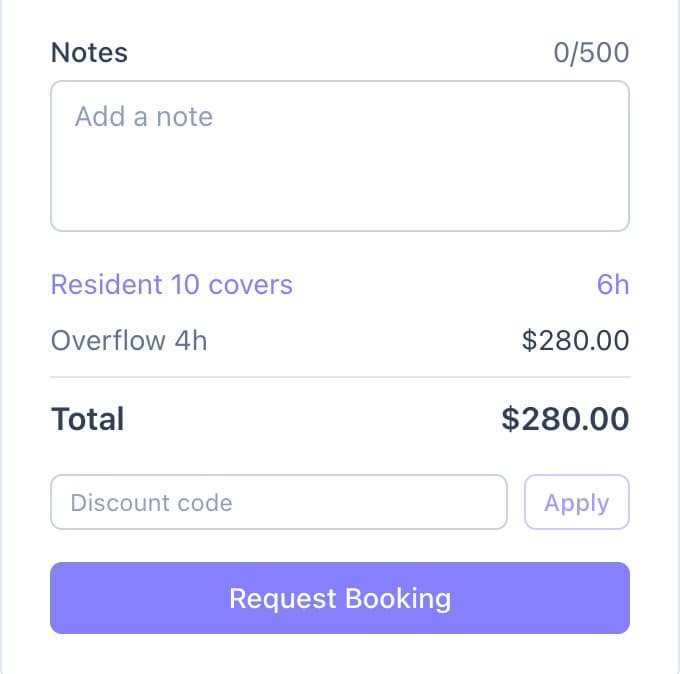
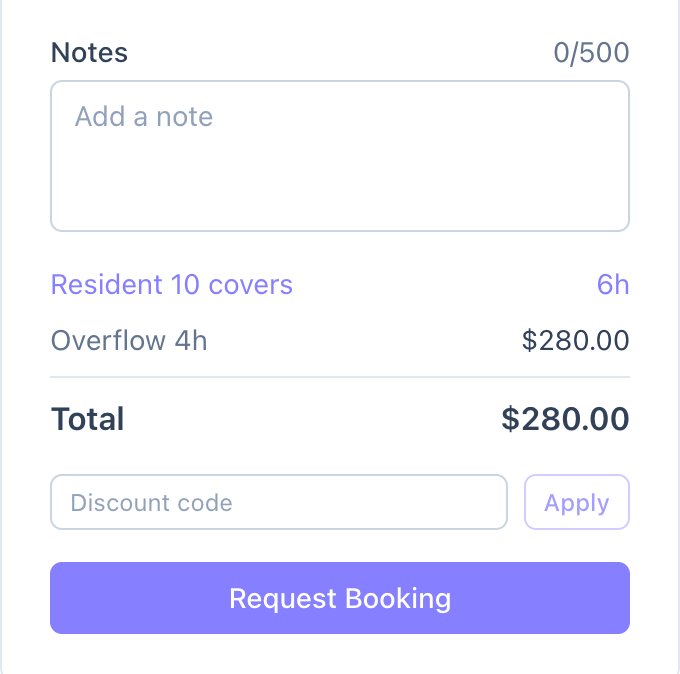
What a member sees at checkout: their plan covers 6 hours and the overflow is charged.
Good to know
- Price, hours and billing period can't be changed after the plan is created.
- Members' hours are used automatically when they book. Extra hours and add-ons are charged as normal.
- Hours reset each billing period and don't roll over.